Templates
1 min
In the Administration Portal, you can define the makeup of the documents you generate, as well as the artifacts you export to a Word or PDF document by creating and uploading templates.
In Blueprint you can only upload templates. Creating templates is performed outside Blueprint. For more information, see Author Document Templates.
Two types of Templates can be defined:
- Office Document Templates - the templates that determine the elements Blueprint pulls when using Document Generation.
- Instance Print Templates - the templates that determine the elements Blueprint pulls when exporting artifacts to PDF or Word. To access and manage templates in Blueprint:
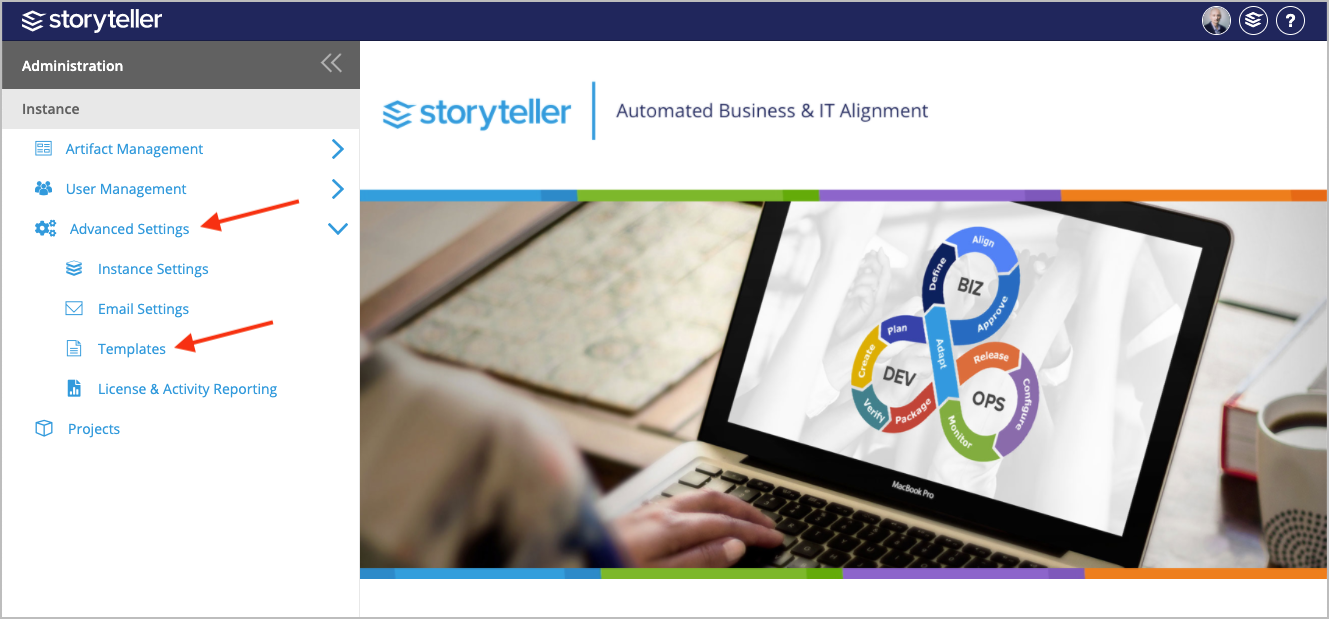
- In the Administration Portal, click Advanced Settings and then select Templates in the side panel. For information on how to access the Admin Portal, see About the Administration Portal.
For more information on how to perform specific actions with Templates, click one of the following options: