Delete Office Document Templates
2 min
To delete an Office Document Template from your Blueprint instance:
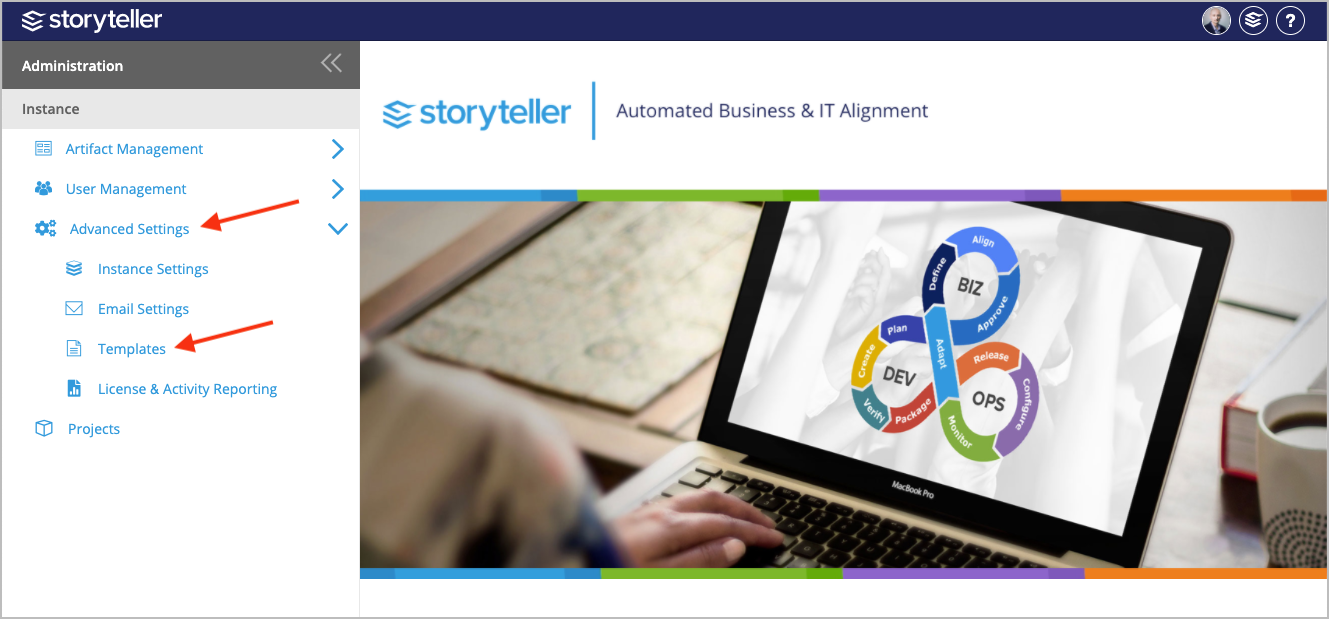
- In the Administration Portal, click Advanced Settings and then select Templates in the side panel. For information on how to access the Admin Portal, see About the Administration Portal.
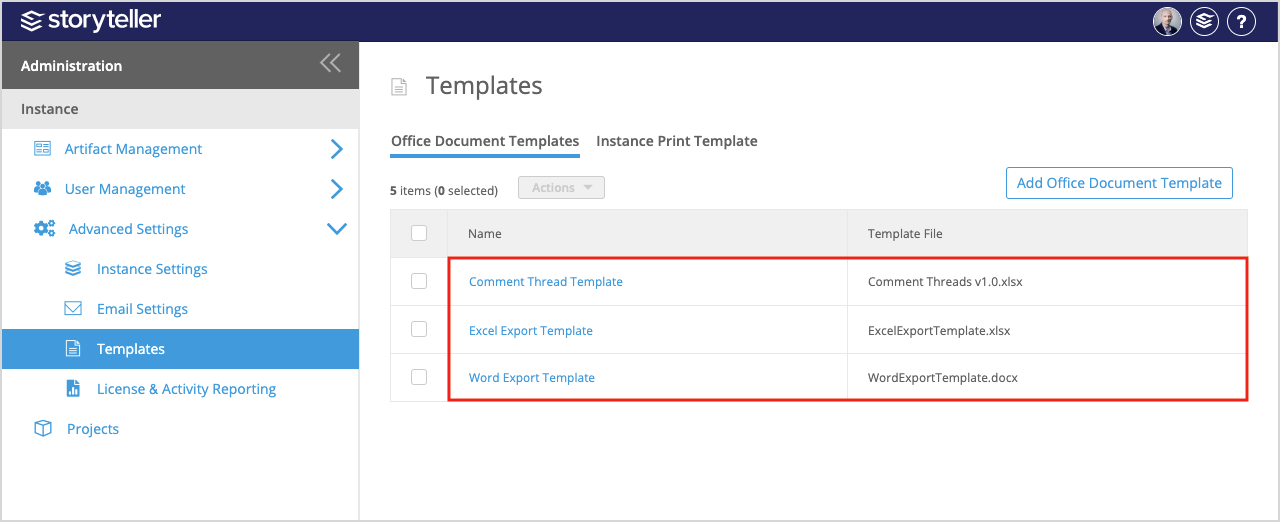
- Click the template you want to delete.
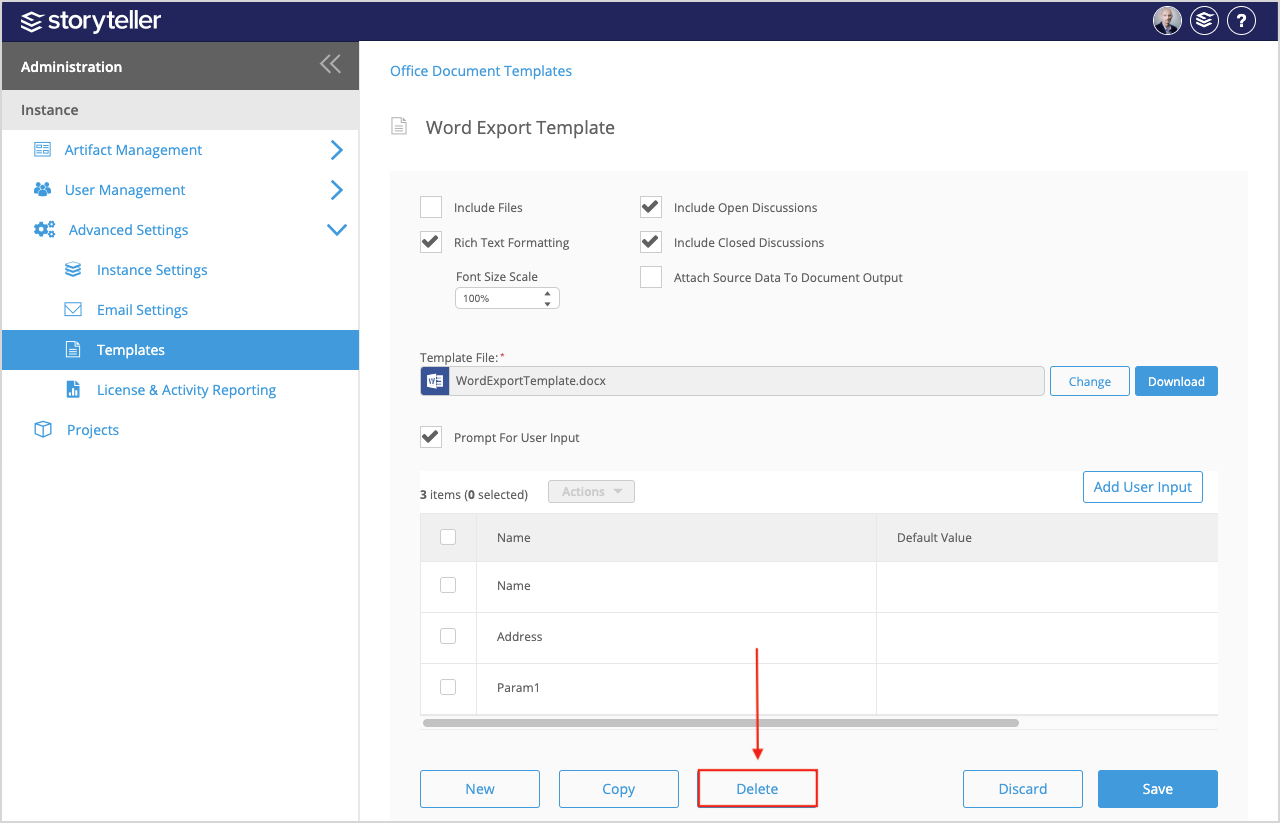
- Click Delete at the bottom of the page.
Delete Multiple Office Document Templates
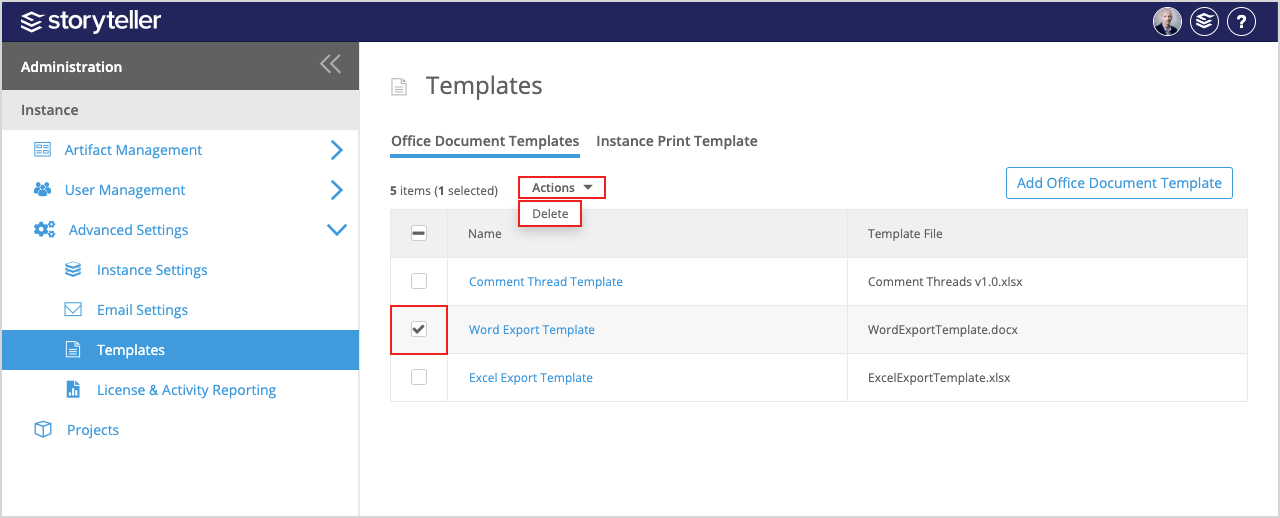
To delete multiple Office Documents Templates on the Templates page in the Administration Portal:
- Select the checkboxes for the templates you want to delete. You can select all the templates in the table on the page by selecting the checkbox in the table header.
- Select the checkboxes for the templates you want to delete.
- Click the Actions dropdown and select Delete.