Copy Office Document Templates
2 min
To copy an existing Office Document Template from your Blueprint instance:
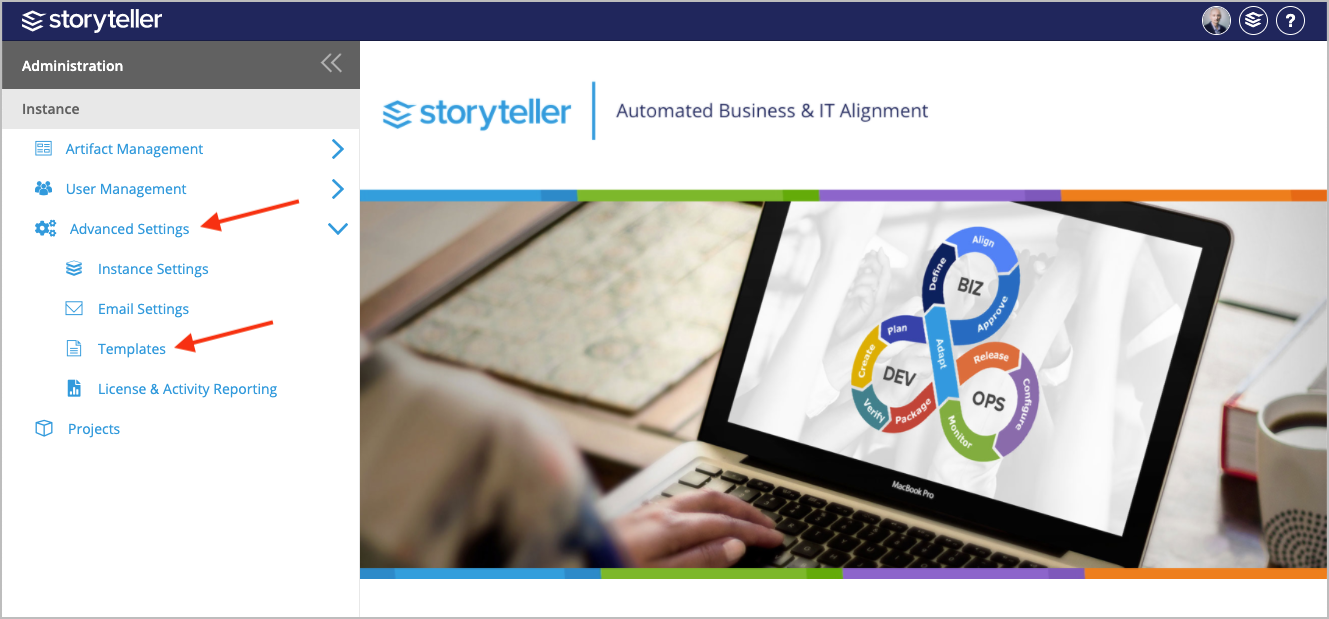
- In the Administration Portal, click Advanced Settings and then select Templates in the side panel. For information on how to access the Admin Portal, see About the Administration Portal.
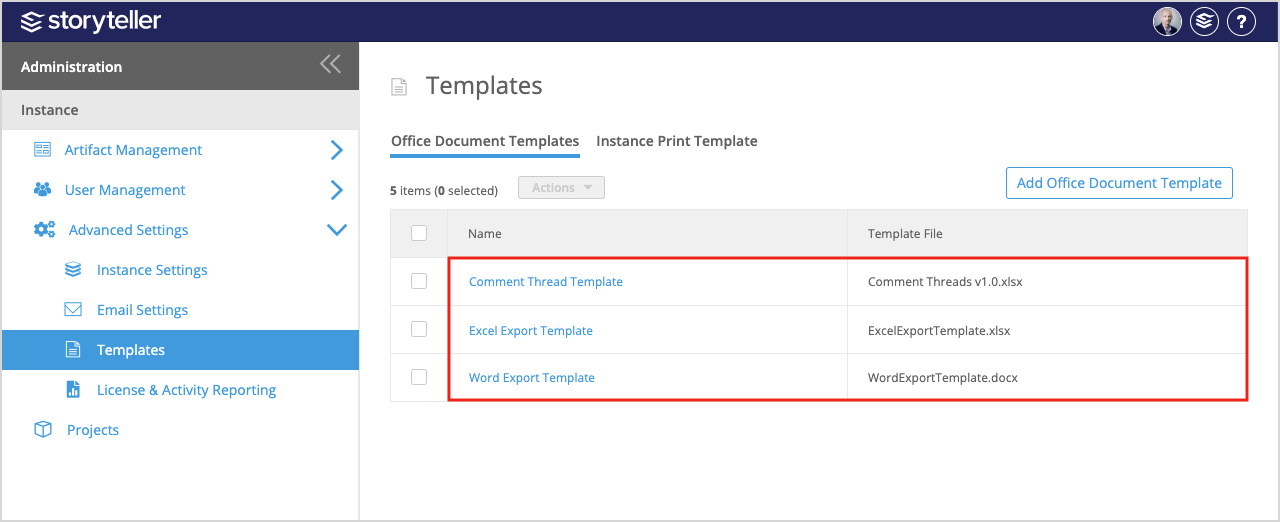
- Click the template you want to copy.
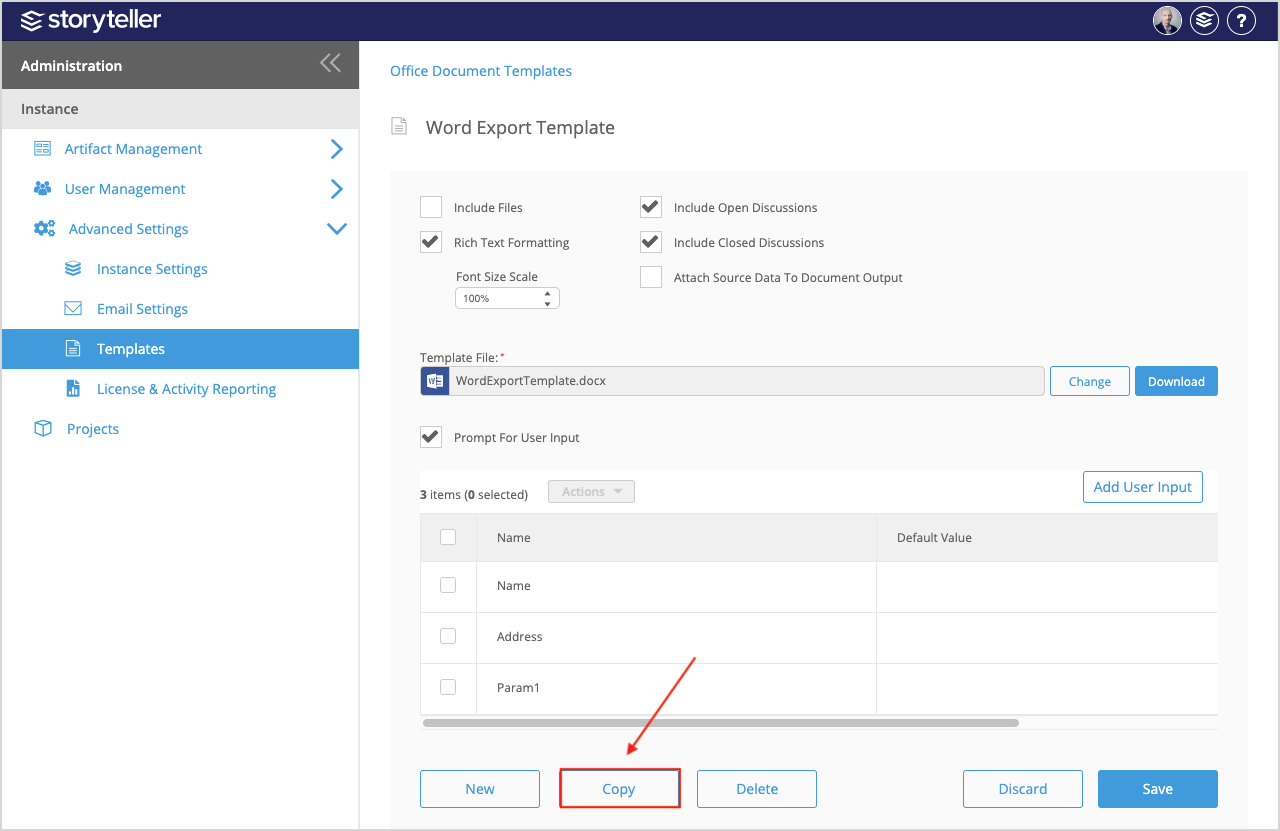
- Click Copy at the bottom of the page.
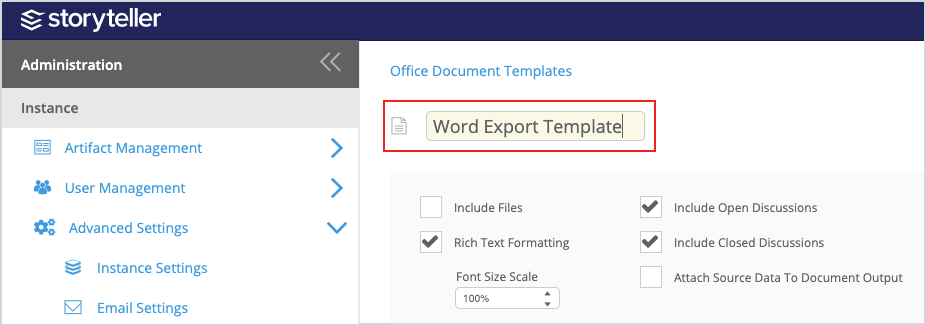
- Click the template name in the header and re-name the template as needed.
- You can edit the settings for the copied template by selecting or clearing the corresponding checkboxes or editing the values in the following fields:
- Include Files — If selected, the generated document is packaged in a .zip file with all associated documents and attachments in the artifact.
- Rich Text Formatting — If selected, any rich text formatting in Blueprint is preserved in the generated document.
- Font Size Scale — Edit the percentage you want to scale font size to within rich text fields in the generated document.
Font size scale must be a whole number between 50 and 500 percent.
- Include Open Discussions — If selected, open discussions are included in the generated document.
- Include Closed Discussions — If selected, closed discussions are included in the generated document.
- Attach Source Data to Document Output — If selected, the generated document is packaged in a .zip file with the project XML data that was used to generate the document. The project XML data can be useful if:
- you want to author a template using data and image references from your project
- you are debugging a problem with the template you are using
- you want to provide Blueprint support with the project XML data that generated the template
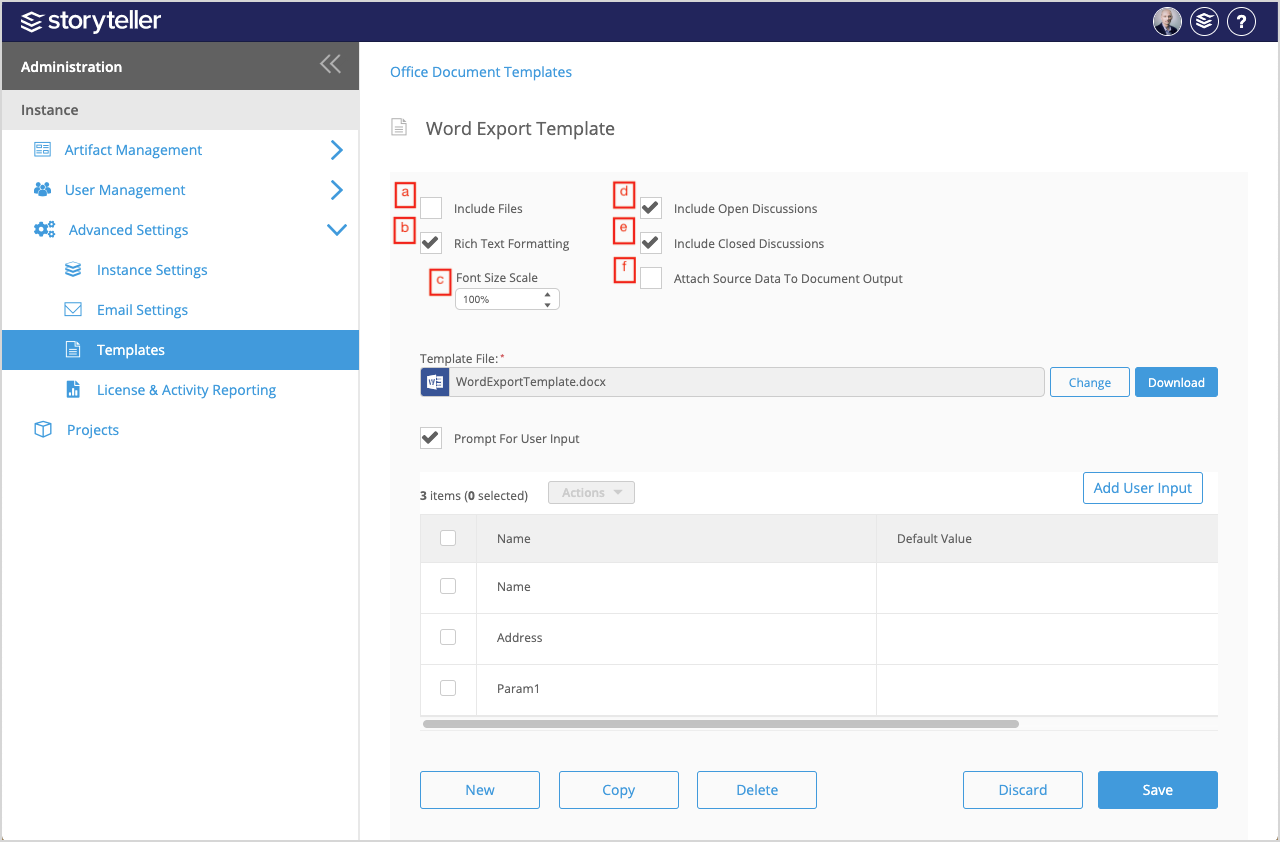
7. Select the Prompt for User Input checkbox if you want the User Inputs table content to be displayed to the user during document generation. For more information regarding user input, see Add User Inputs to Office Document Templates.
- Click Save.