Delete User Inputs for Office Document Templates
1 min
To delete user inputs for Office Document Templates:
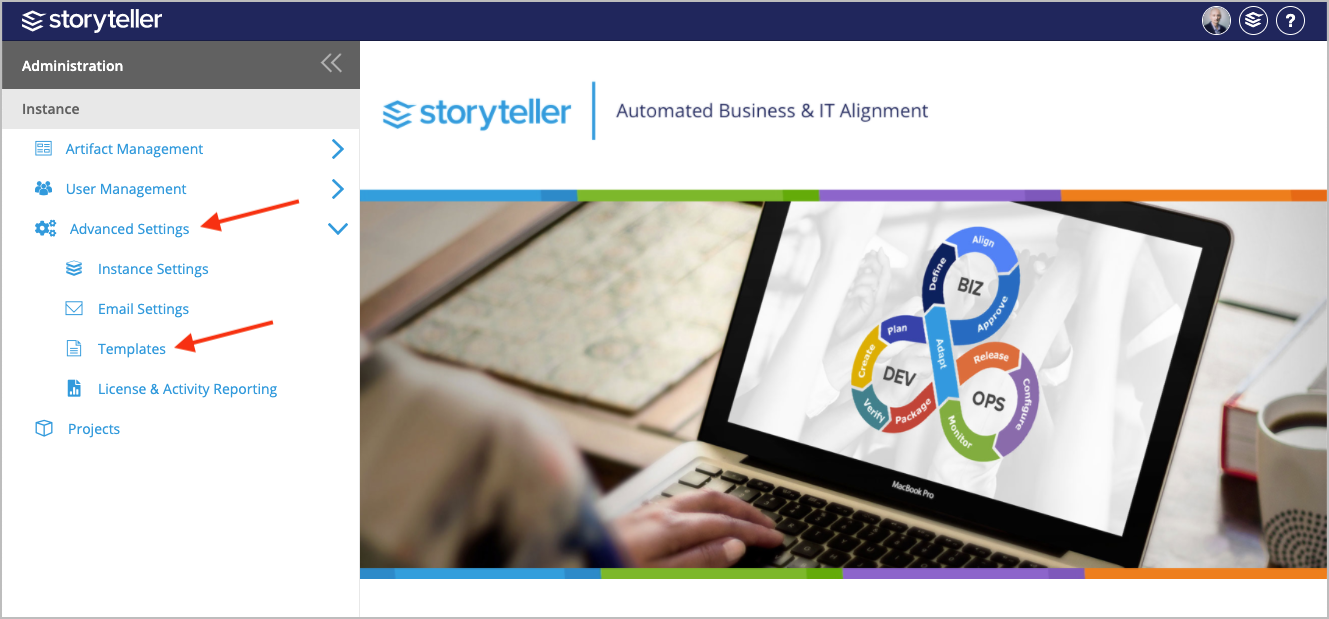
- In the Administration Portal, click Advanced Settings and then select Templates in the side panel. For information on how to access the Admin Portal, see About the Administration Portal.
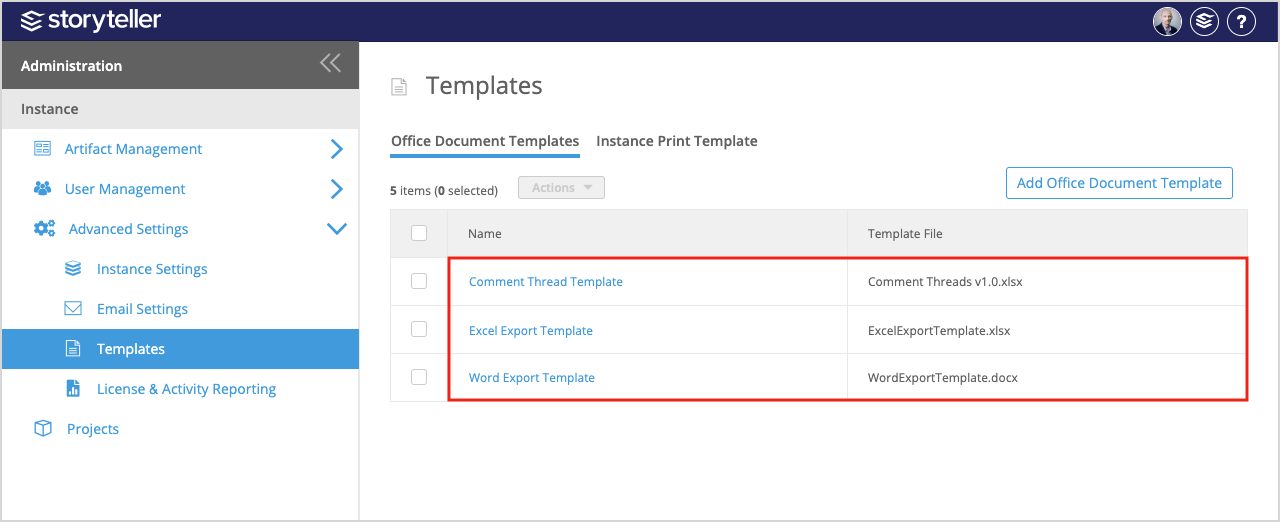
- Click the template you want to delete user inputs for.
- Select the checkbox in the first row in the table for the inputs you want to delete. You can select multiple inputs to delete by selecting their checkboxes as needed, or all inputs in the table by selecting the checkbox in the table header.
- Click the Actions dropdown and select Delete.
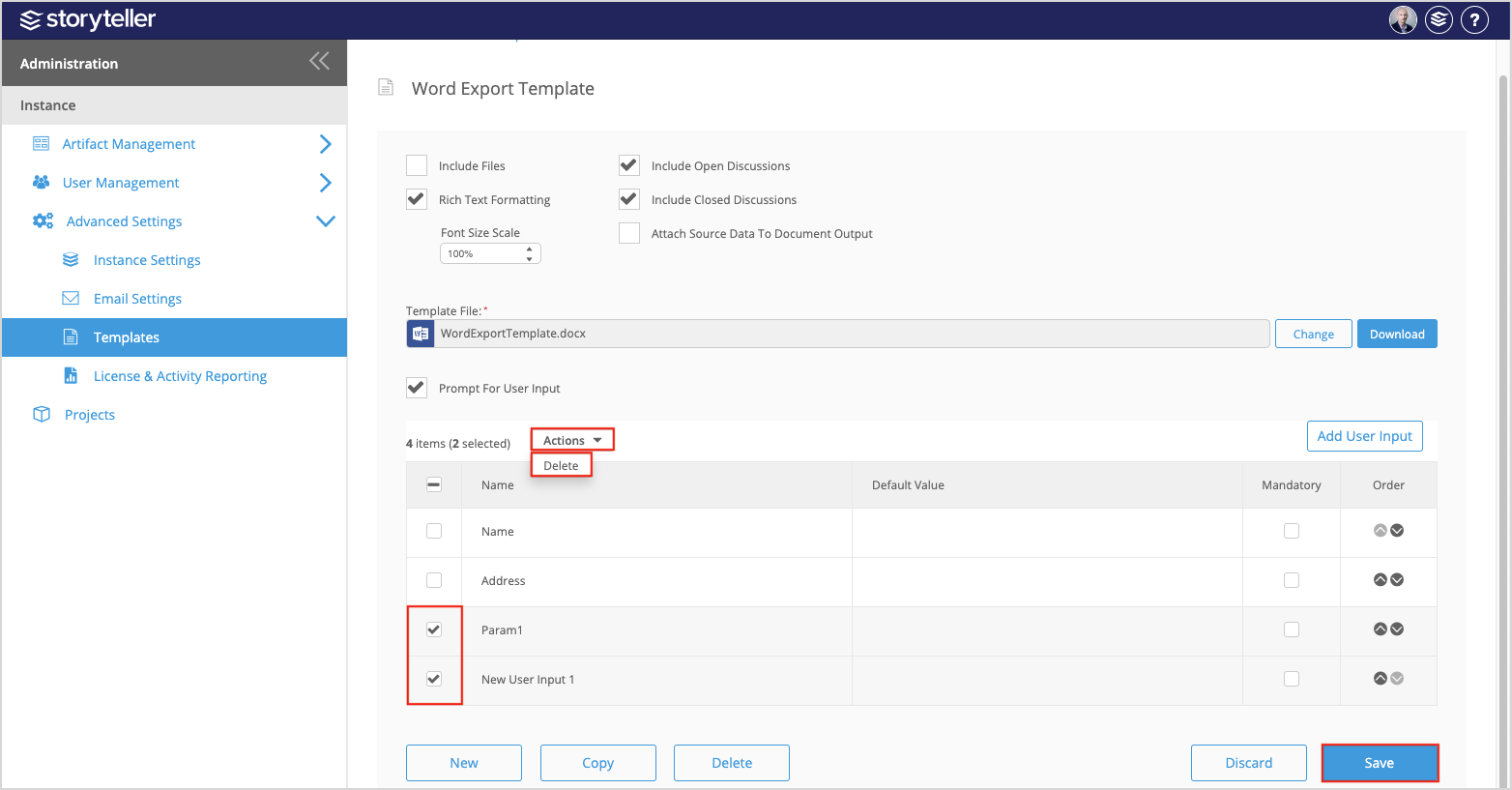
- Click Save.