Add User Inputs to Office Document Templates
1 min
As a Blueprint administrator, you can define and manage custom inputs that your users can inject in a document that they generate.
To add user inputs to Office Document Templates:
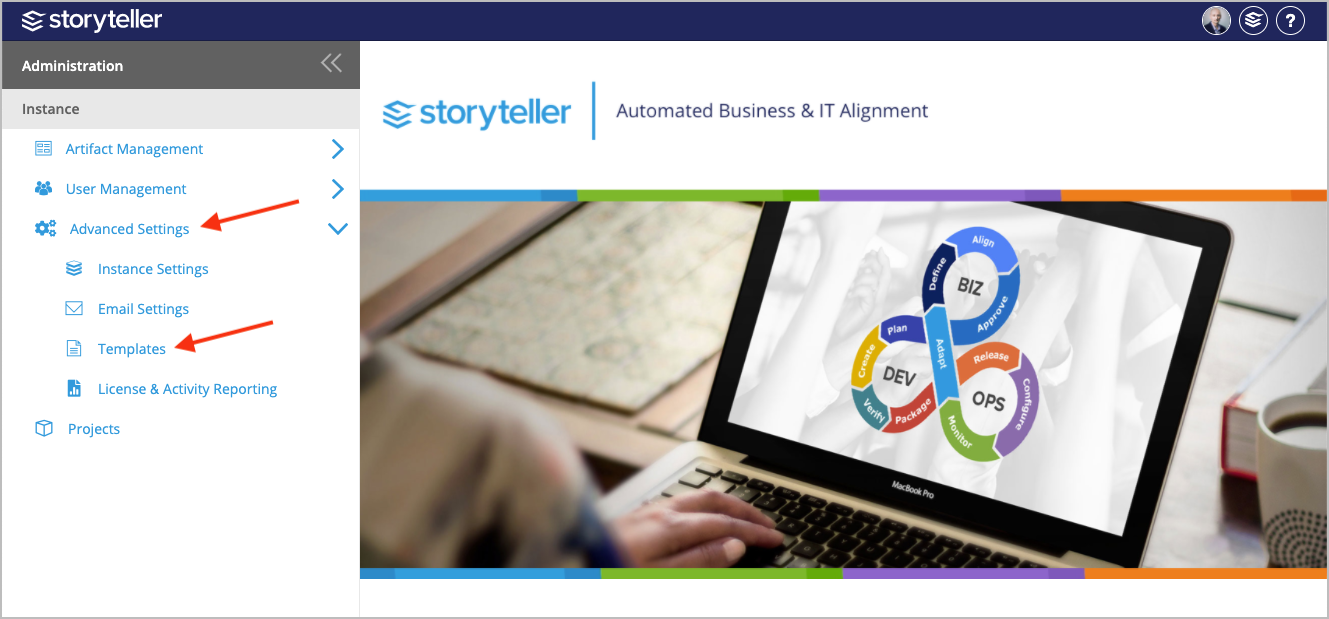
- In the Administration Portal, click Advanced Settings and then select Templates in the side panel. For information on how to access the Admin Portal, see About the Administration Portal.
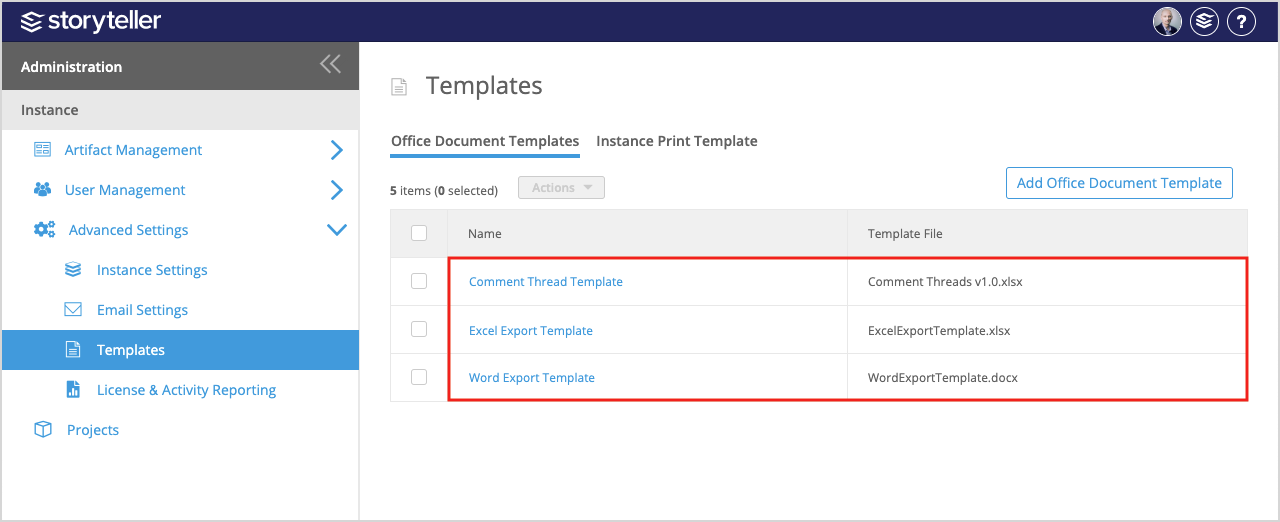
- Click the template you want to add user inputs to.
- Click Add User Input.
- Define the following for your new user input:
- Click the edit icon in the Name column and enter a name for the input.
- If you want to define a default value, click the edit icon in the Default Value column and enter a value as needed.
- Select the checkbox in the Mandatory column to make the value required.
- You can order your newly created input accordingly by clicking the directional arrows in the Order column.
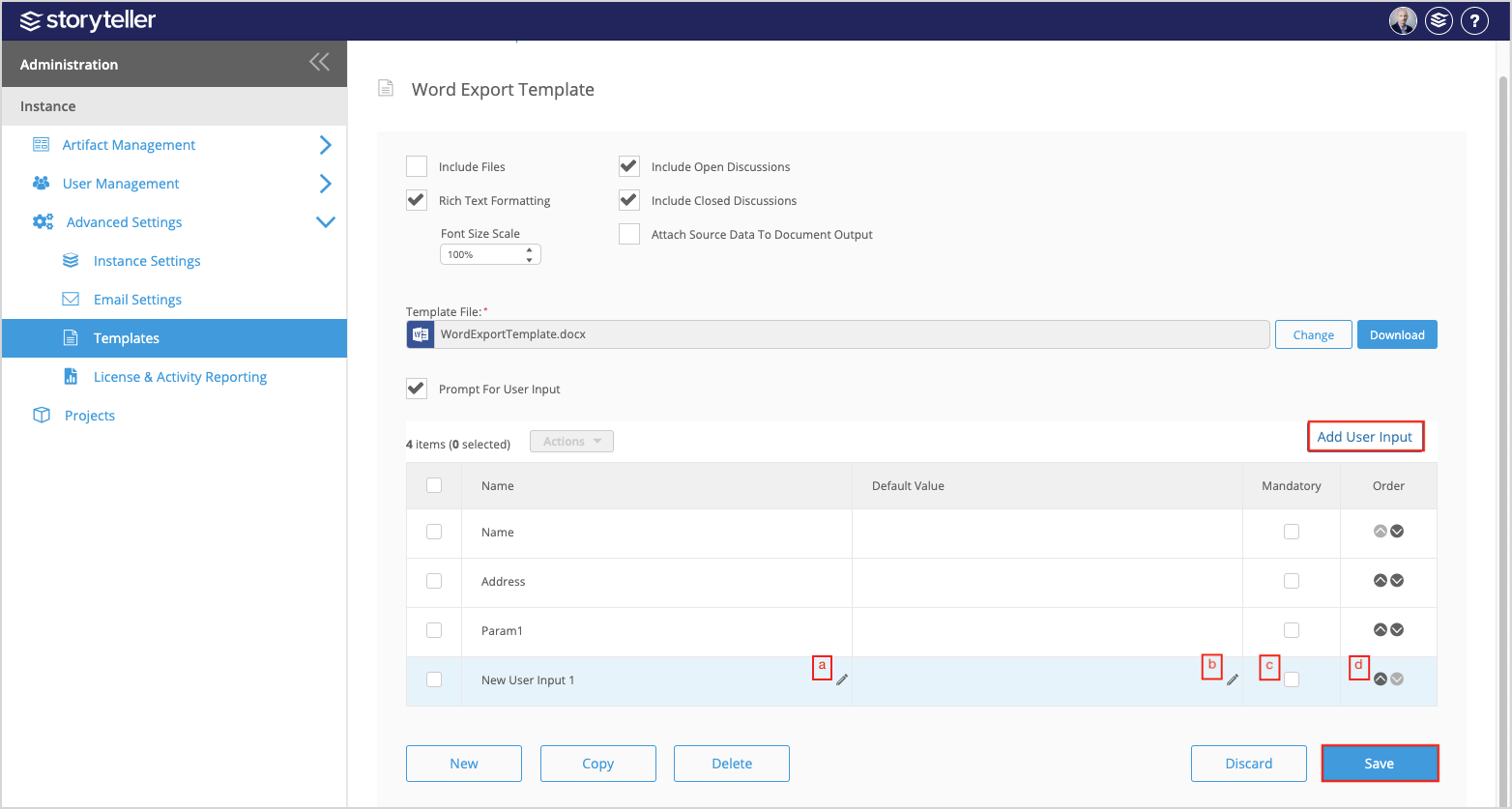
- Click Save.