Set or Reset an Instance Print Template
1 min
To set or reset an Instance Print Template:
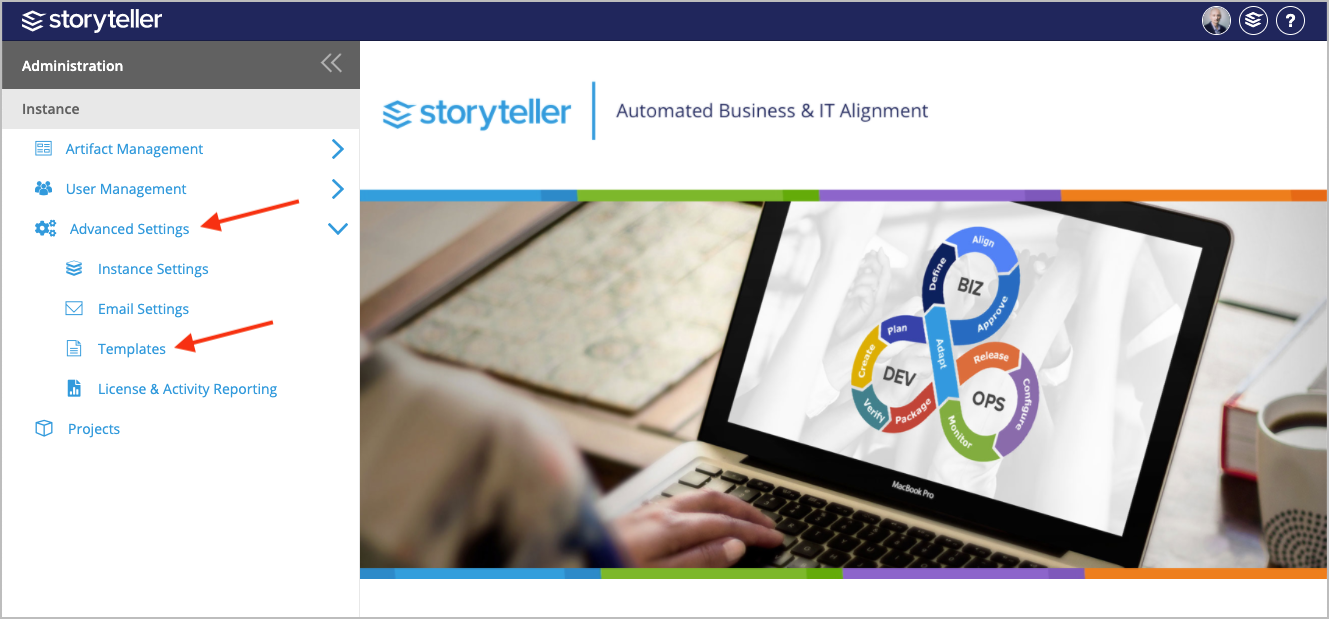
- In the Administration Portal, click Advanced Settings and then select Templates in the side panel. For information on how to access the Admin Portal, see About the Administration Portal.
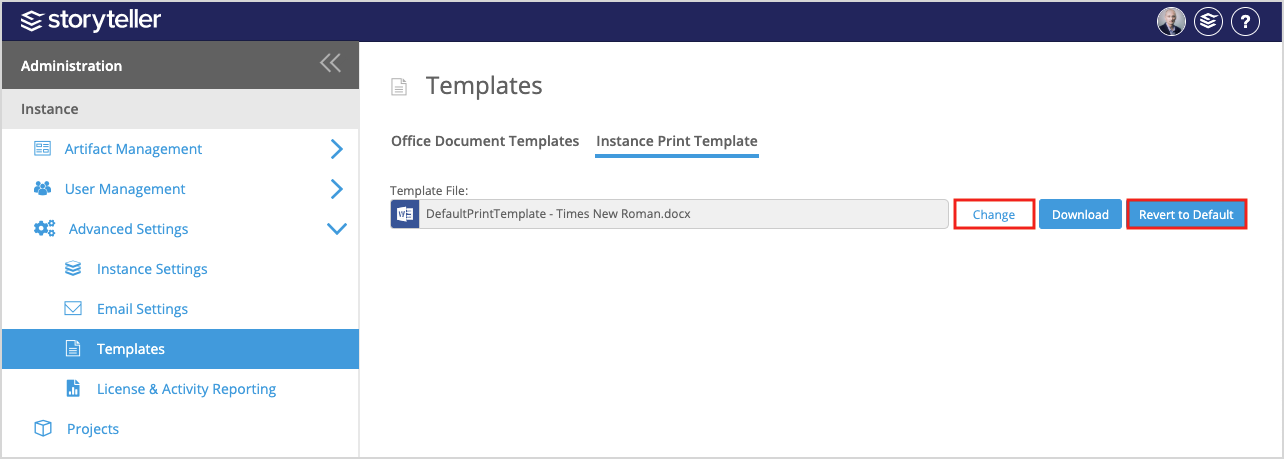
- Click the Instance Print Template tab.
- To reset an Instance Print Template to its default, click Revert to Default.
- To upload a new Instance Print Template:
- Click Change.
- In the file browser displayed, locate and select the template you want to upload.