View the Variables in your Template
1 min
You can view the variables in your document template using a variety of methods:
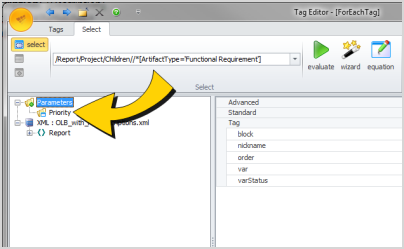
- The Tag Editor displays all variables in your template, whether they were explicitly defined, or whether they were created as a result of a ForEach tag, Set tag, or Query tag.
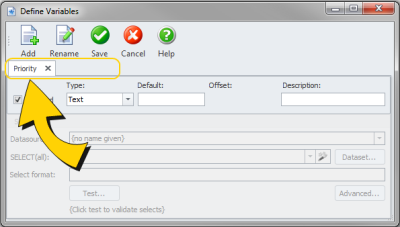
- The Defined Variables dialog displays all variables that are explicitly defined in your template.
To view the variables in your template using the Tag Editor:
- Open the Tag Editor.
- Expand the Parameters node to view a list of your variables:
To view the variables in your template using the Define Variables dialog:
- Click the Variables button (Blueprint Manager tab, Data group) on the ribbon.
- There is a tab for each variable that exists in your template: