Use a Variable in your Template
1 min
After you have Add a Variable (also known as parameters) to your document template, you can use them in a variety of ways. You may be interested in:
- outputting the variable value (i.e. Out tag)
- using the variable in a condition statement (If tag)
- using the variable in a for loop (ForEach tag)
To output the value of a variable:
- Create a new Out tag.
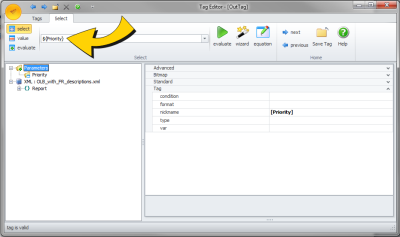
- Set the value of the Out tag to ${VariableName}, where VariableName is the name of the variable that you want to output.
- Here is an example of an Out tag where the Priority variable is configured to be outputted:
To use a variable in a condition statement:
- Create a new If tag.
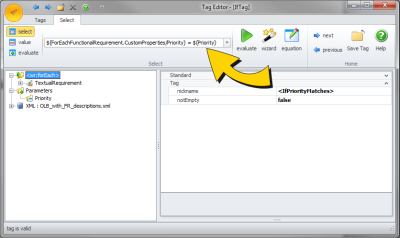
- Include ${VariableName} in your select statement, where VariableName is the name of the variable that you want to output. Here is an example of an If tag where a value from the data source is compared to the Priority variable: