Move Shapes in the Universal Model Editor
1 min
Once placed on the canvas in the Universal Model Editor, shapes can easily be moved.
To move a shape on the canvas:
- Click the shape you want to move.
- You can use one of the following three ways to move the shape:
- Drag the shape anywhere on the canvas.
- Move the shape using the arrow keys on your keyboard.
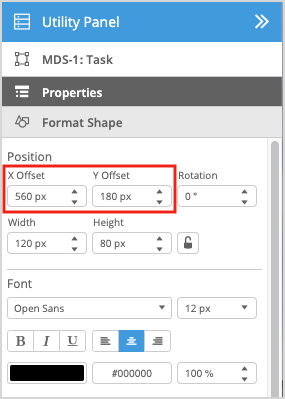
- Change the X Offset and Y Offset of the shape under the Format Shape tab in the Utility Panel.
When you move a shape on the canvas in the Universal Model Editor, all shapes inside the container will move along with it.