Add and Label Connectors in the Universal Model Editor
3 min
Once you have a few shapes on your canvas in the Universal Model Editor, you can start connecting them. Connecting shapes can be done one of two ways:
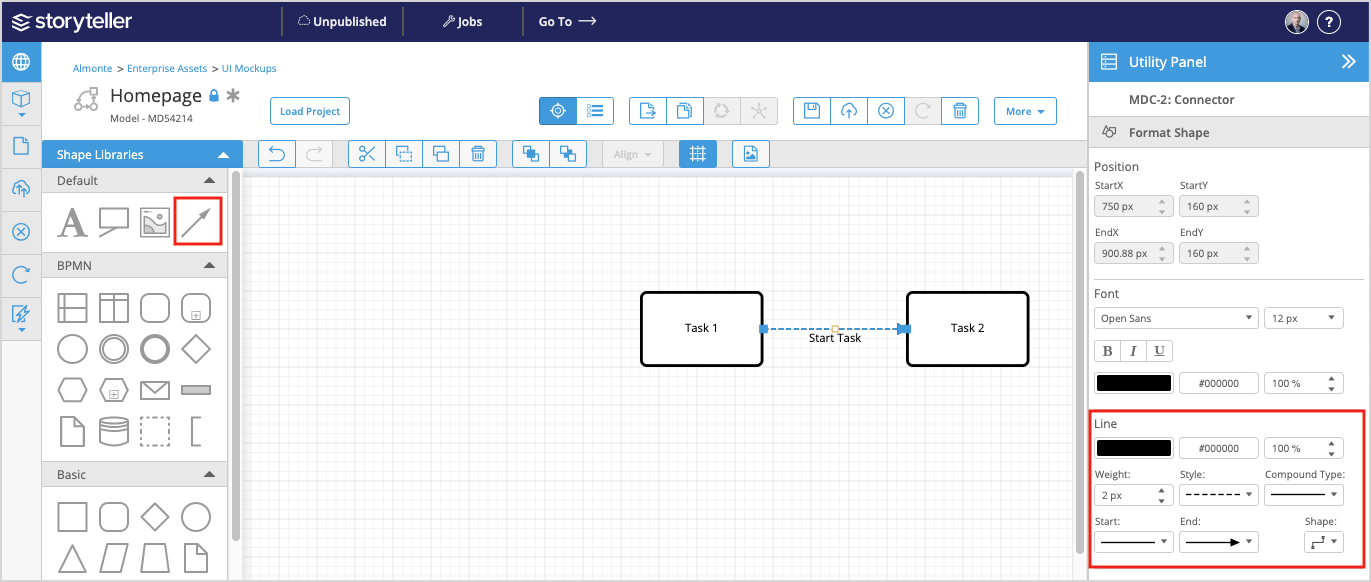
- Drag the connector shape (located in the Default library) onto the canvas, and connect each end to any connector ports on the shape(s) you want to connect.
- Hover over a shape to view its connector ports. Click and drag from any connector port to another.
You can also connect two connector ports on the same shape.
By default, connectors are angular. A connector can be changed to straight or curved, in addition to customizing it further under the Format Shape tab in the Utility Panel.
Label a Connector
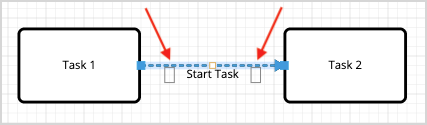
To add a label, hover over the connector and click a label point to edit.
A connector does not have to be connected to any shapes. It can exist on the canvas, independently of other shapes.