Container Shapes in the Universal Model Editor
1 min
Certain shapes are containers, meaning they can have other shapes contained within them.
To use a container:
- Drag the container shape from one of the shape libraries onto the canvas. Container shapes include the Horizontal Pool, Vertical Pool, Sub Process, and Sub-Conversation shapes from the BPMN library.
The container will not include any shapes it is placed on top of.
- Drag shapes into the container. The container automatically re-sizes as you drag shapes in.
- Certain containers can be collapsed, meaning the shapes inside them will be hidden from view. Use the add (+) and remove (-) buttons to collapse and expand the container.
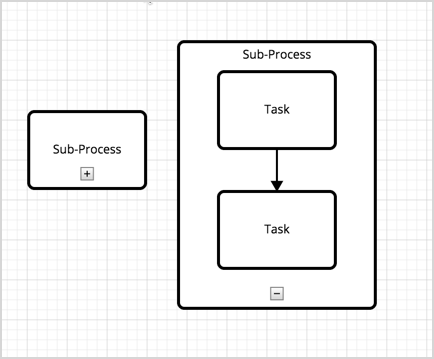
Container shapes automatically re-size when you re-size any shapes within it.