Version Compare
1 min
Version Compare gives you the ability to streamline artifact analysis accurately with changes visualized between versions. It also promotes full control management with the ability to revert or merge artifact versions.
Moreover, it supports the audit process with ease with the ability to visualize and report on change.
To compare two versions of an artifact in a documents-like redline view:
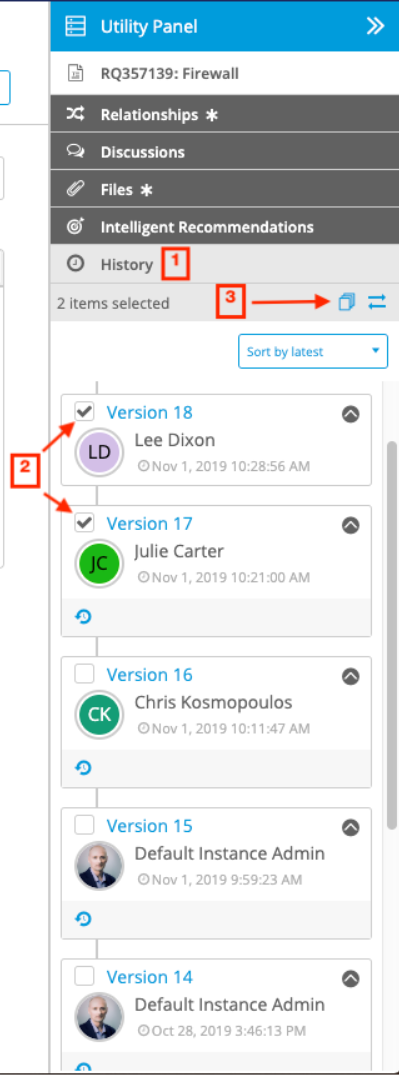
- When viewing the artifact you want to compare versions for, click the History tab in the Utility Panel.
- Select the two versions you want to compare.
- Click the Version Compare icon (
 ) at the top of the History tab.
- In the Compare Version modal, old values are crossed out in red and the changed, most recent values are highlighted in green.
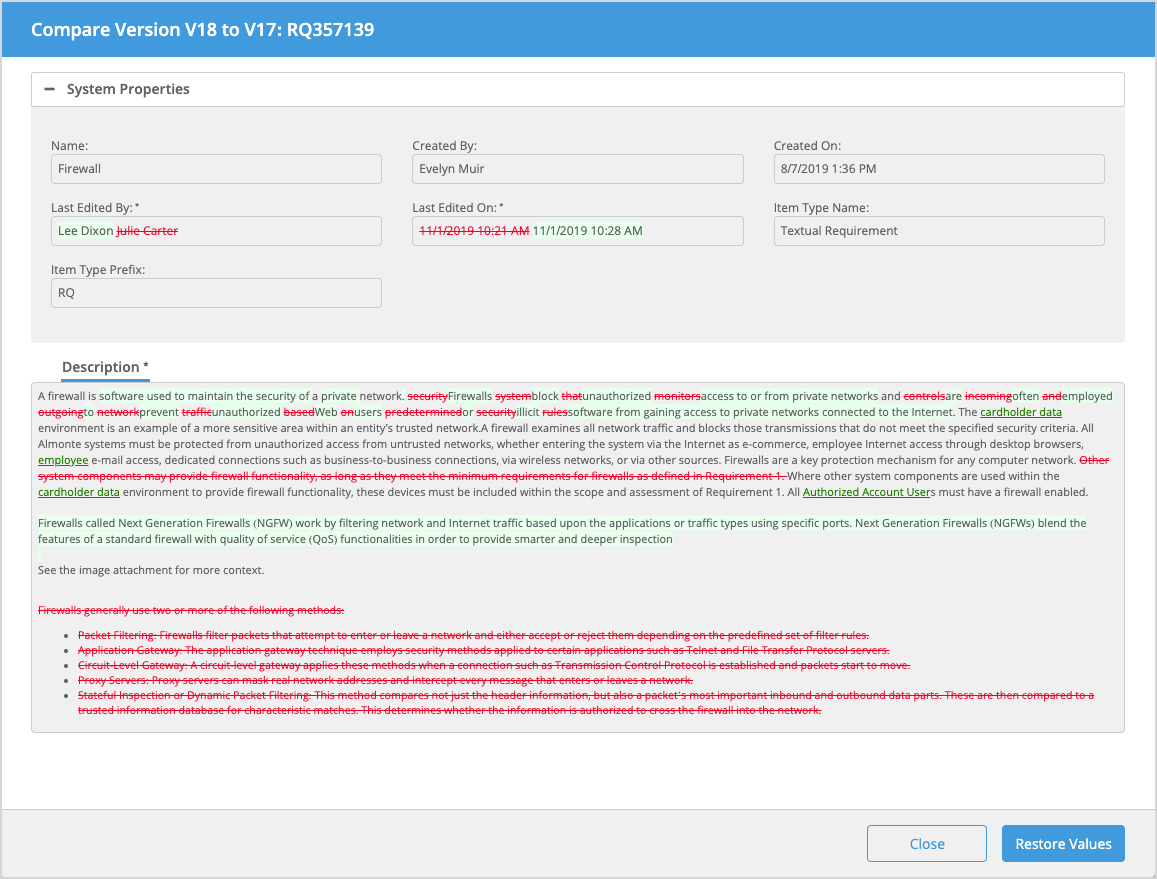
- To restore values from the version you are comparing, click Restore Values. For information on how to merge values, see steps 4 and 5 in Restore Values or Attributes of an Artifact to a Previous Version. You can also compare different historical versions of an artifact in a side-by-side view. For detailed steps on how to do so, see Side by Side Version Compare.