Export an Impact Analysis to Excel
When exporting the Impact tree to Excel, you must select the number of levels you wish to have exported from the source artifact.
The maximum Impact Analysis supports is 10 levels. You can also change the source ID, if desired.
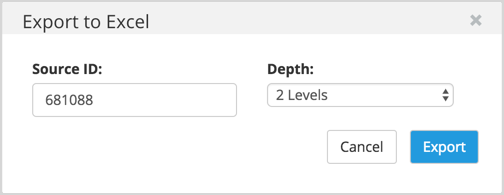
Once you have entered your criteria, click the Export button. An Excel file (.xlsx) will be created. The name of the file will represent the choices you have selected in the export window.
Example
Source ID 340342 with 3 levels of depth will be generated as ImpactAnalysis_340342_3
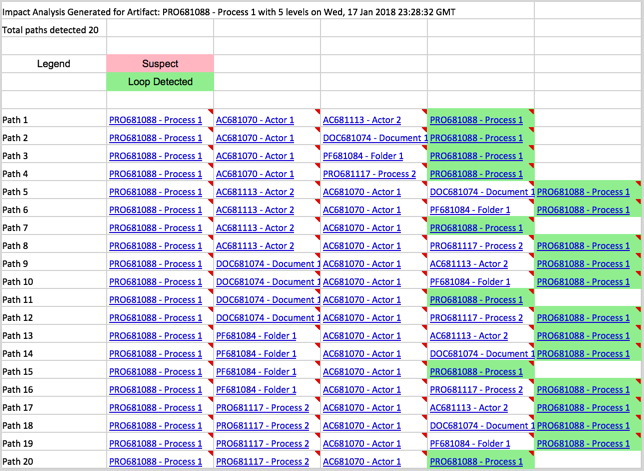
The Excel file will contain a time-stamp, and provides you with a total count of paths that were exported. Each path will display as its own line and will progress until it ends, or a loop is detected (shown in green). Any present suspect traces are shown in red.
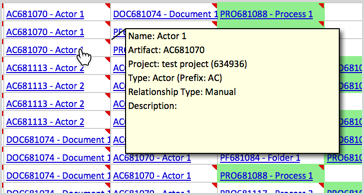
To view the key properties of an artifact, you can hover your mouse over any of the cells with a red triangle indicator in the upper right.