Equation Editor
The Equation Editor tool helps you use equations and gives you previews of the results.
For a step-by-step, see About Equations.
You can get to the Equation Editor if you either a) already have an equation in your select and click on the Equation button, or b) selected an equation from the Equation Selector.
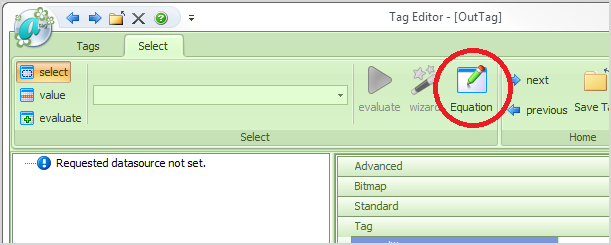
The Equation button is accessible from the Tag Editor.
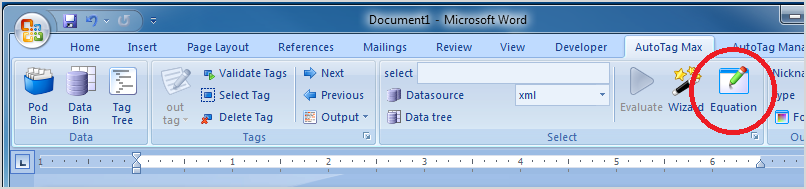
It is also accessible from the Ribbon.
Equation Editor Window
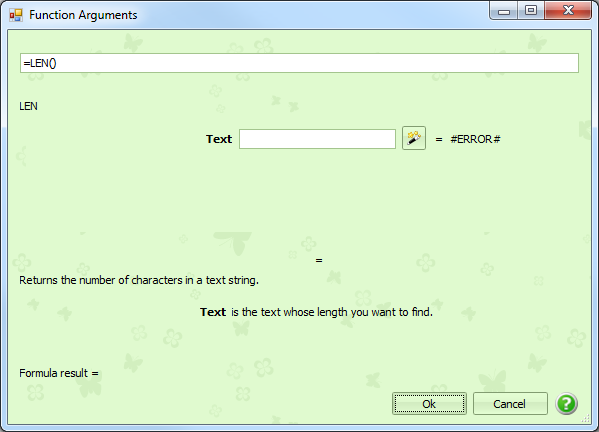
At the very top, we have the entire equation/formula. At the very lower left, we have the result from evaluating the formula.
In between, we have information on the current equation and any data fields it needs (it this case, it needs a single data field called "Text").
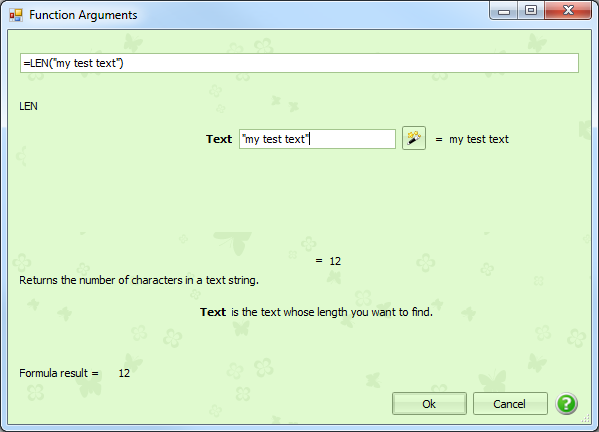
In the above case, we have entered "my test text" as our "Text" data field. To the right, it has evaluated the data field.
Below that, we have the resulting value for the equation.
When you are done crafting your formula, click Ok to exit out of the Equation Editor.