Delete a Workflow
2 min
To delete a Workflow in Blueprint:
A Workflow must be disabled in order for it to be deleted. For information regarding disabling a workflow, see Disable a Workflow. For information on how to access the Admin Portal, see About the Administration Portal.
- In the Blueprint Administration Portal, click the Artifact Management dropdown and select Workflows.
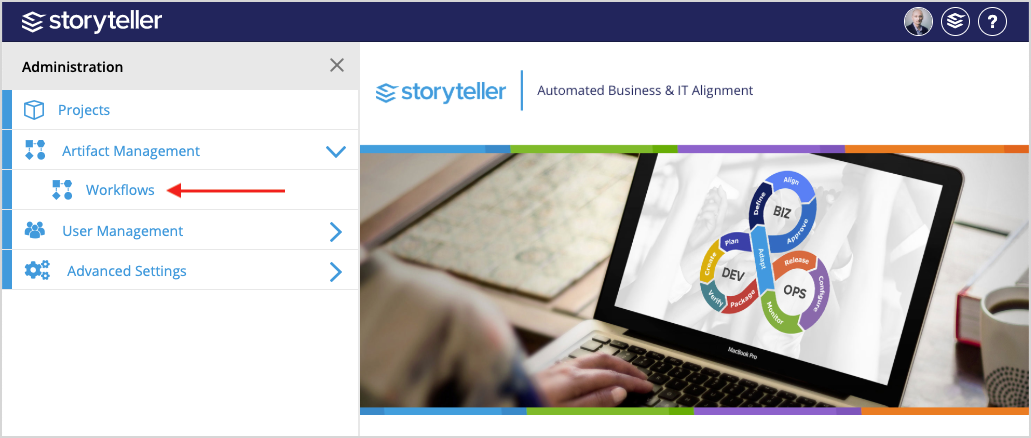
- Search for and locate the Workflow you want to delete. You can use the search bar at the top of the page or the pagination at the bottom of the page to navigate through the Workflows in your instance.
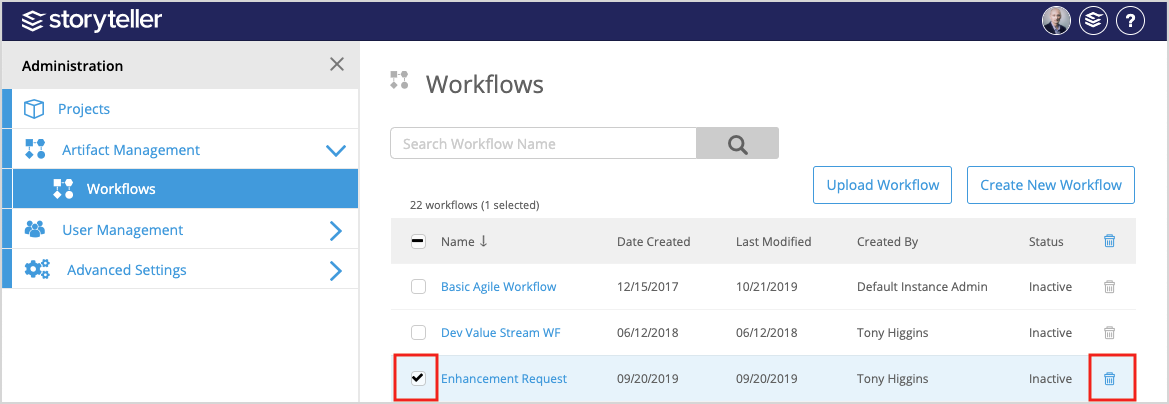
- To delete a single Workflow, select the checkbox for the Workflow you want to delete and then click the delete icon (
 ) at the end of its row.
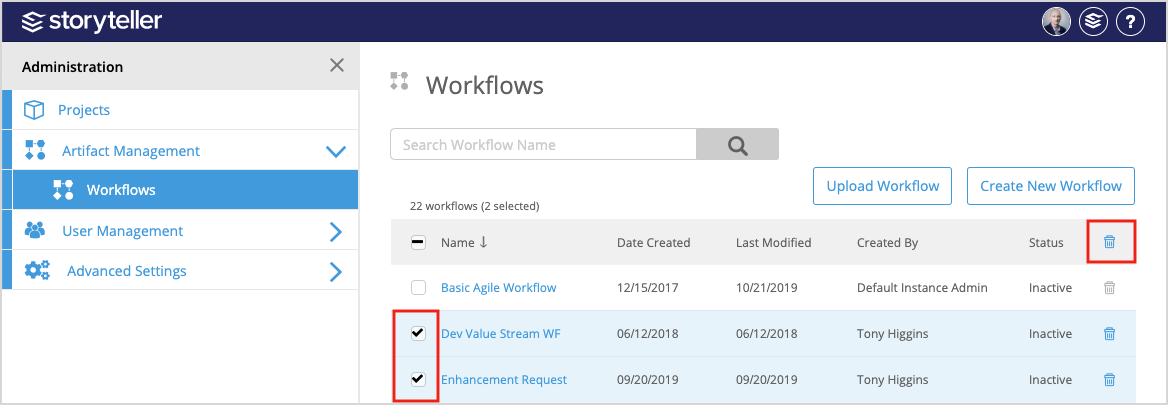
- To delete multiple Workflows, select the checkboxes for the Workflows you want to delete and then click the delete icon () in the upper-right corner of the table.