Define Access and Logging In Settings
5 min
In the Administration Portal, you can view and define whether your new users receive a welcome email when you create them, add custom text to that email, and define your security lockout settings.
To view and define your Access and Logging In settings:
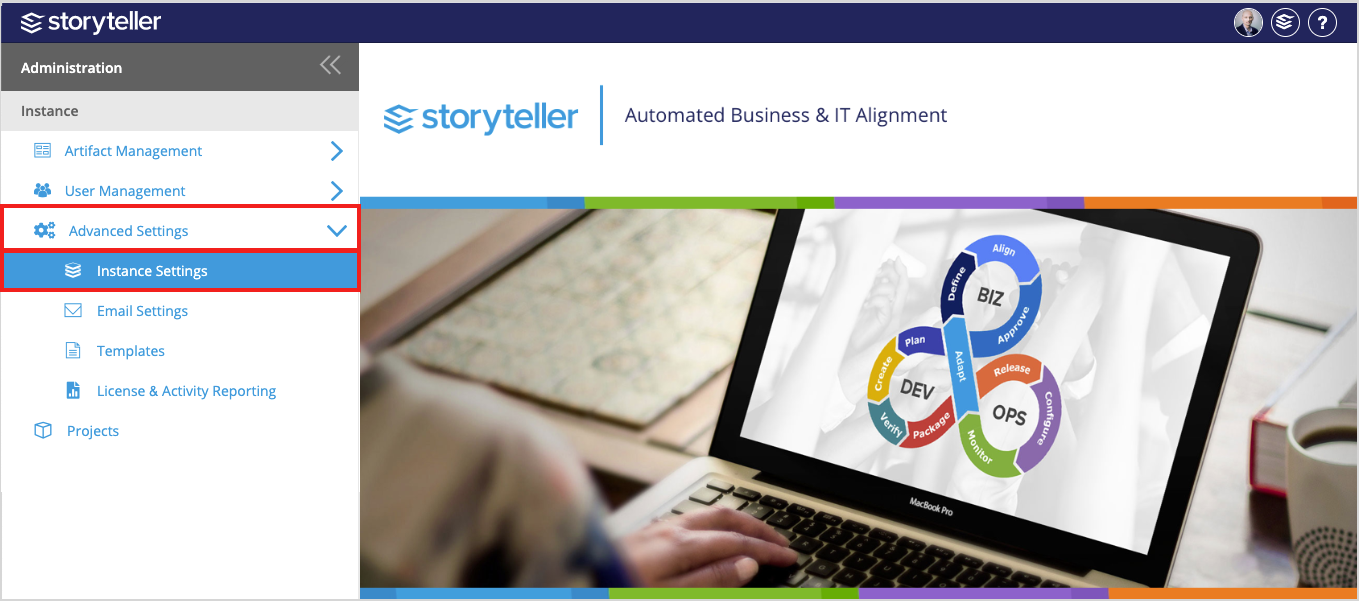
In the Administration Portal, click Advanced Settings and then select Instance Settings in the side panel.
For information on how to access the Admin Portal, see About the Administration Portal.
Password Change and Reset
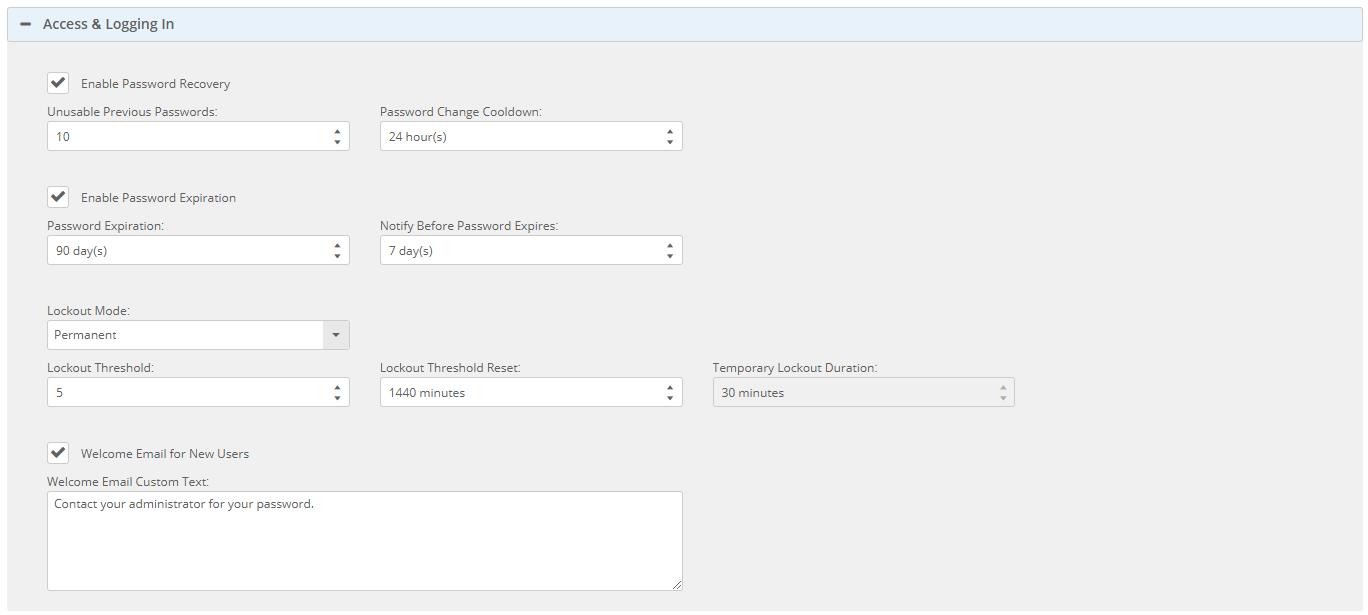
- Enable Password Recovery: Controls an end user's ability to reset their own password (i.e., "forgot password" functionality). If enabled, users will see a "Forgot my password" link in the sign-in dialog. Enabled by default.
Outgoing mail settings and user account email addresses must be configured for this feature to work.
- Unusable Previous Passwords: Defines the number of previous password iterations that can't be used. For example, a value of 10 will prevent a user from using one of their last 10 passwords again upon change/reset.
- Default: 10
- Minimum: 0 (Disabled)
- Maximum: 100
- Password Change Cooldown: Defines the length of time (in hours) that must pass after a password change/reset before a user can change/reset their password again.
- Default: 24
- Minimum: 0 (Disabled)
- Maximum: 999
Password Expiration
- Enable Password Expiration: Controls whether user account password expiration is enabled/disabled. Enabled by default.
- Password Expiration: Defines the length of time (in days) that a password can be used before it must be changed.
- Default: 90
- Minimum: 1 (Cannot be less than "Notify Before Password Expires" value, if set)
- Maximum: 999
- Notify Before Password Expires: Defines the number of days before a user's password expires when the system sends them a notification email.
- Default: 7
- Minimum: 0 (Disabled)
- Maximum: 999
Outgoing mail settings and user account email addresses must be configured for this feature to work.
Account Lockout
- Lockout Mode: Controls whether account lockout functionality is enabled (permanent or temporary modes) or disabled.
- Off: Feature is disabled.
- Permanent (Default): The account must be unlocked manually by an administrator.
- Temporary: The account is automatically unlocked after a defined length of time.
- Lockout Threshold: Defines the number of failed sign-ins that must occur before an account is locked out.
- Default: 5
- Minimum: 1
- Maximum: 1000
- Lockout Threshold Reset: Defines the length of time (in minutes) before the lockout threshold is reset. Sign-in failures will reset this timer.
- Default: 1000
- Minimum: 1
- Maximum: 1000
- Temporary Lockout Duration: Defines the length of time (in minutes) before a user account is automatically unlocked if Lockout Mode is set to Temporary.
- Default: 30
- Minimum: 1
- Maximum: 1000
Welcome Emails
- Welcome Email for New Users: Controls whether welcome emails are sent to new users upon account creation. Enabled by default.
- Welcome Email Custom Text: Defines custom text (plain text only) that can be added to the end of welcome emails.
Outgoing mail settings and user account email addresses must be configured for this feature to work.