Create your AI Project
1 min
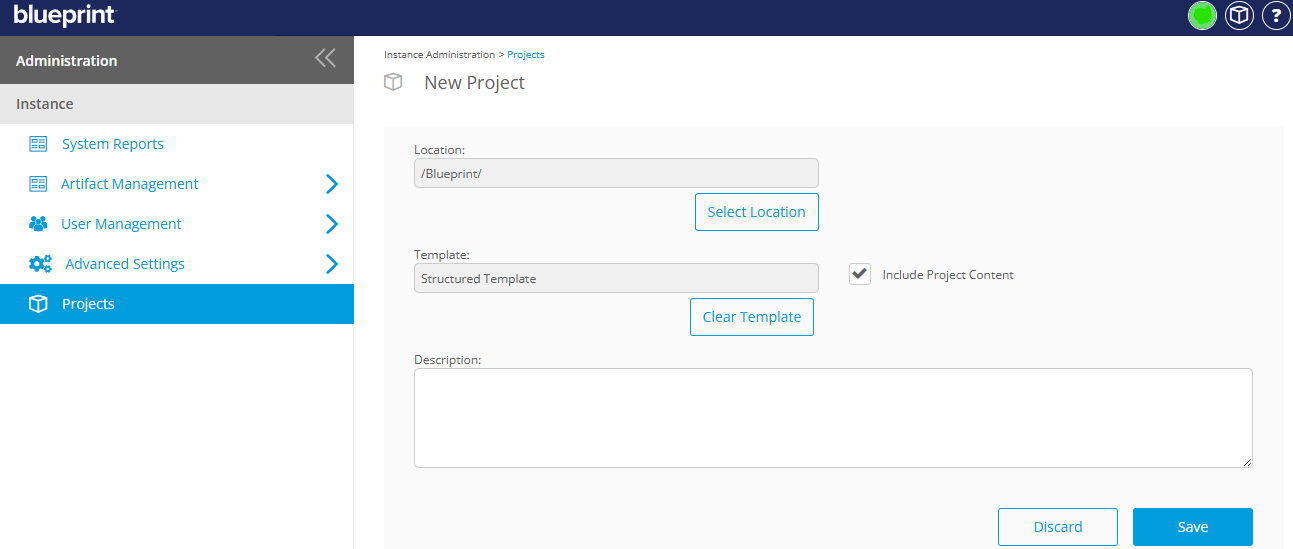
When Blueprint is deployed, one of the first activities is developing a template project used to create subsequent project workspaces. These project templates have a preconfigured folder structure and standard artifacts created and assigned within the project.
- Only projects with the same folder structure as the ‘template project’ selected in Settings can use the “Import Using GenAI” feature.
- The easiest way to do this is to create a new project from the same template project.
- When creating your new project, make sure to check “Include Project Content”