Copy an Instance Administrator Role
2 min
As a Blueprint administrator, there might be cases where you want a similar Instance Administrator Role as one that already exists with slight alterations.
In those cases, you can copy an existing Instance Administrator Role to create a new one and make modifications as needed.
To copy an Instance Administrator Role:
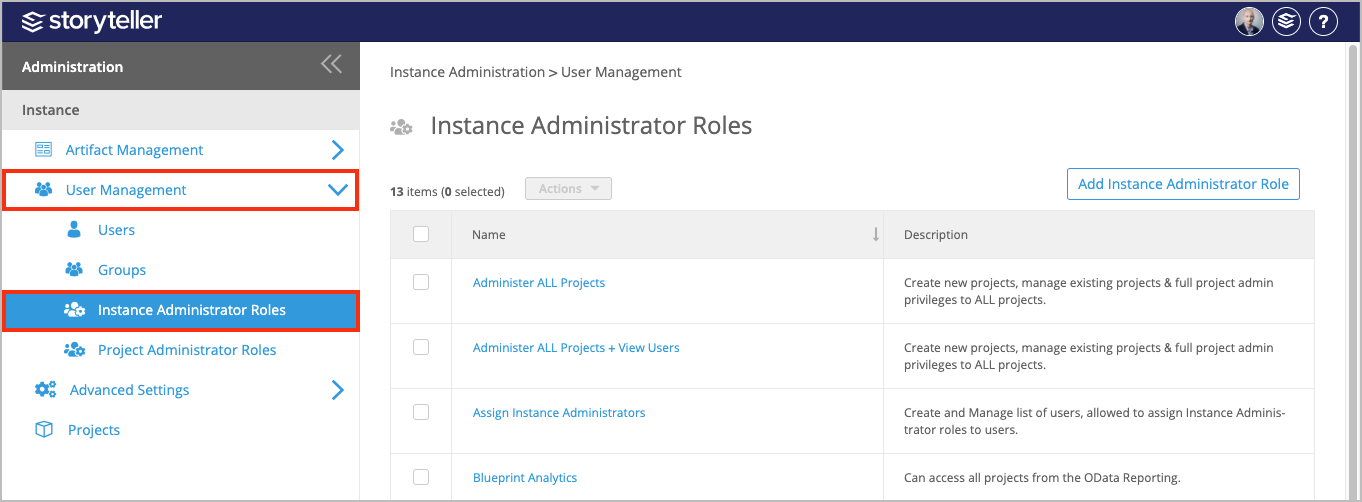
- In the Administration Portal, click User Management and then select Instance Administrator Roles in the side panel.For information on how to access the Admin Portal, see About the Administration Portal.
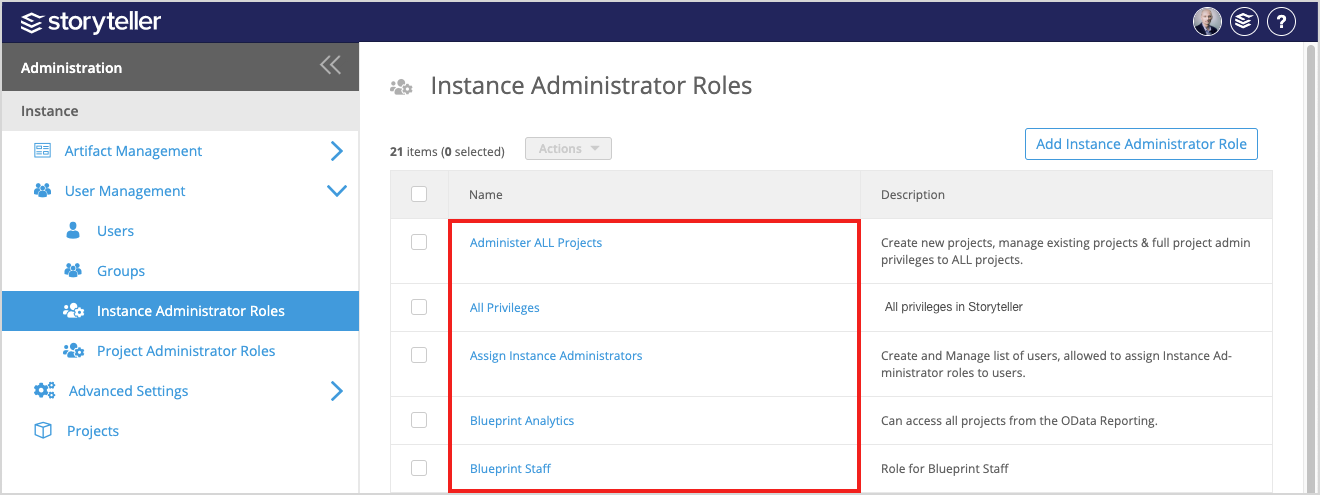
- In the Instance Administrator Roles page displayed, click the role you want to copy.
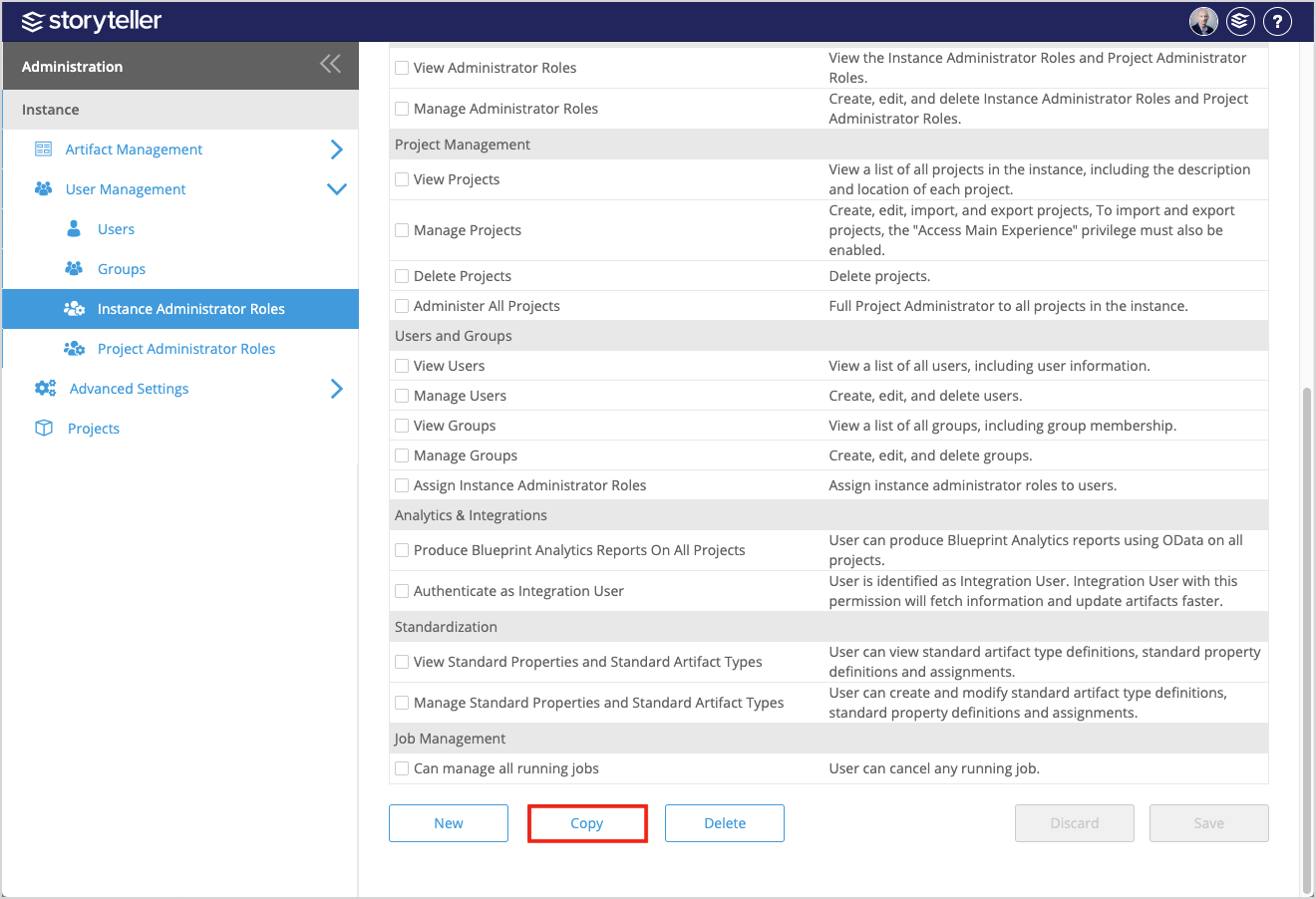
- Click Copy at the bottom of the page.
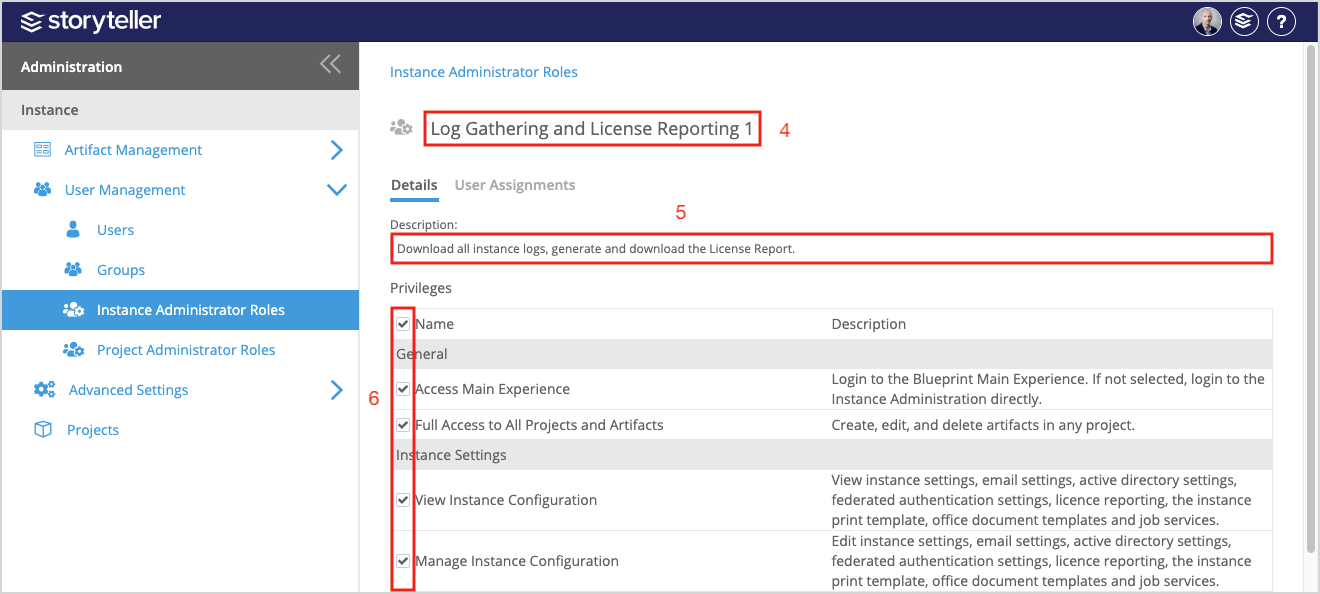
- Click the default name in the header and enter a new name for the role you are creating.
- Enter a description for the role in the Description field. This will give other administrators quick context for reference when managing roles.
- Make any changes to the privileges associated to the role by selecting or clearing corresponding privilege checkboxes as needed. For more information regarding privileges, see Instance Administrator Role Privileges.
- Click Save at the bottom of the page.