Configure Email Credentials
1 min
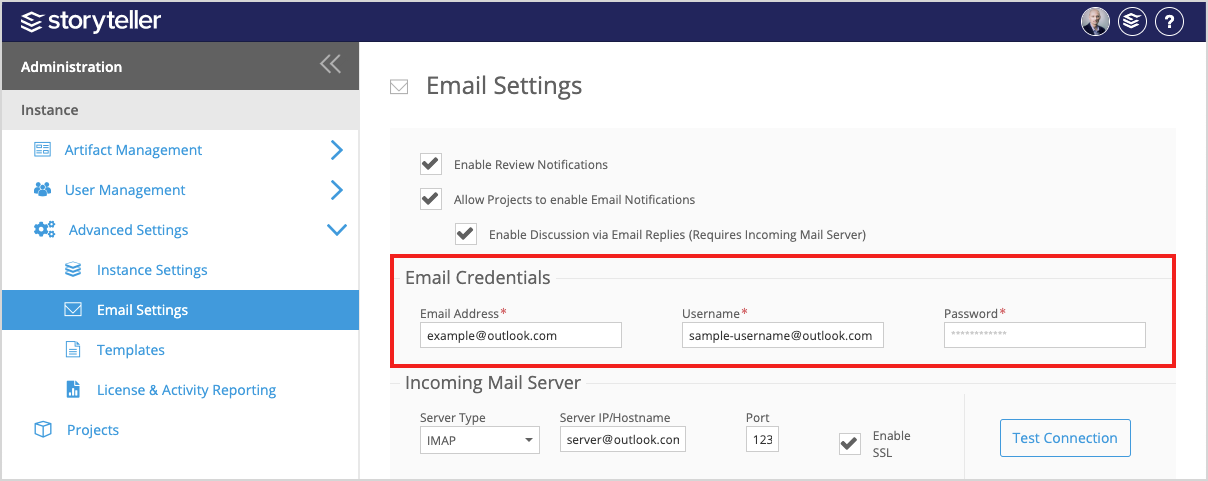
The Email Credentials section of the Email Settings page in the Admin Portal allows you to configure the email account for your outgoing Blueprint notifications.
To configure your Email Credentials:
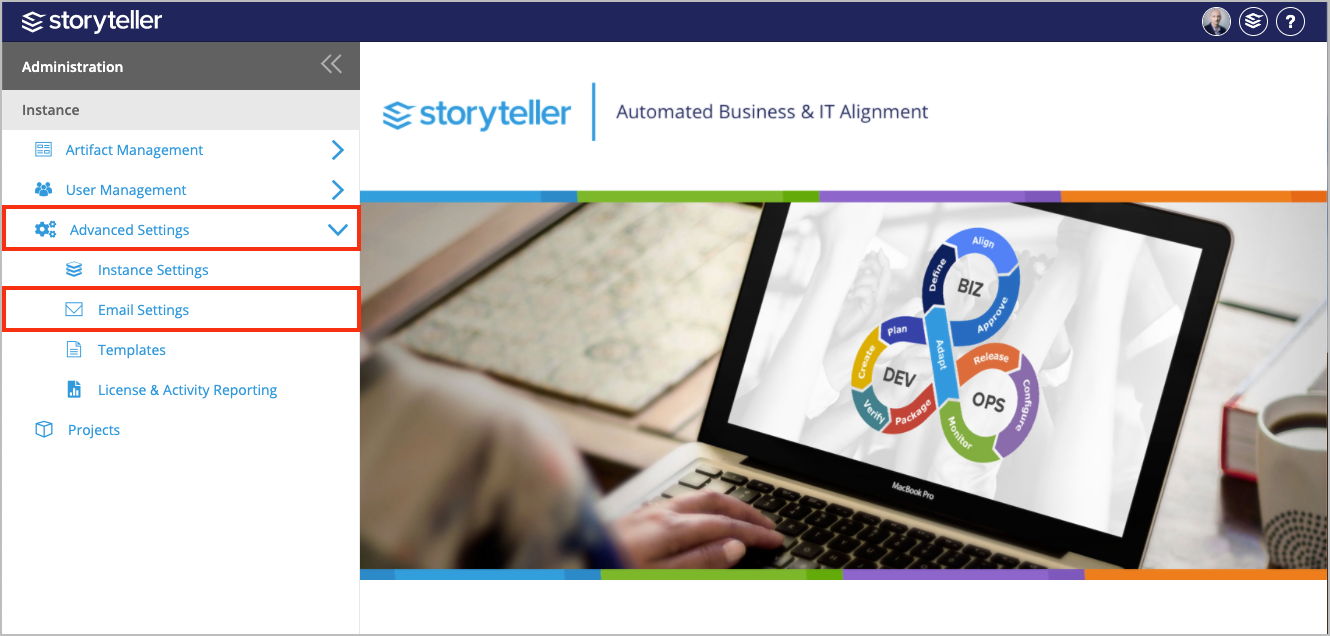
- In the Administration Portal, click Advanced Settings and then select Email Settings in the side panel. For information on how to access the Admin Portal, see About the Administration Portal.
- In the Email Credentials section, enter corresponding values in the following fields:
- Email Address: Defines the email address that will appear as the From address for all email notifications
- User Name: Defines the username of the email account
- Password: Defines the password of the user
- Click Save.