Add and Modify Choice and Condition Endpoints
2 min
In a decision point's Additional Details modal, you can configure where all of its choices/conditions end, as well as create new ones.
To add and modify choice and condition endpoints:
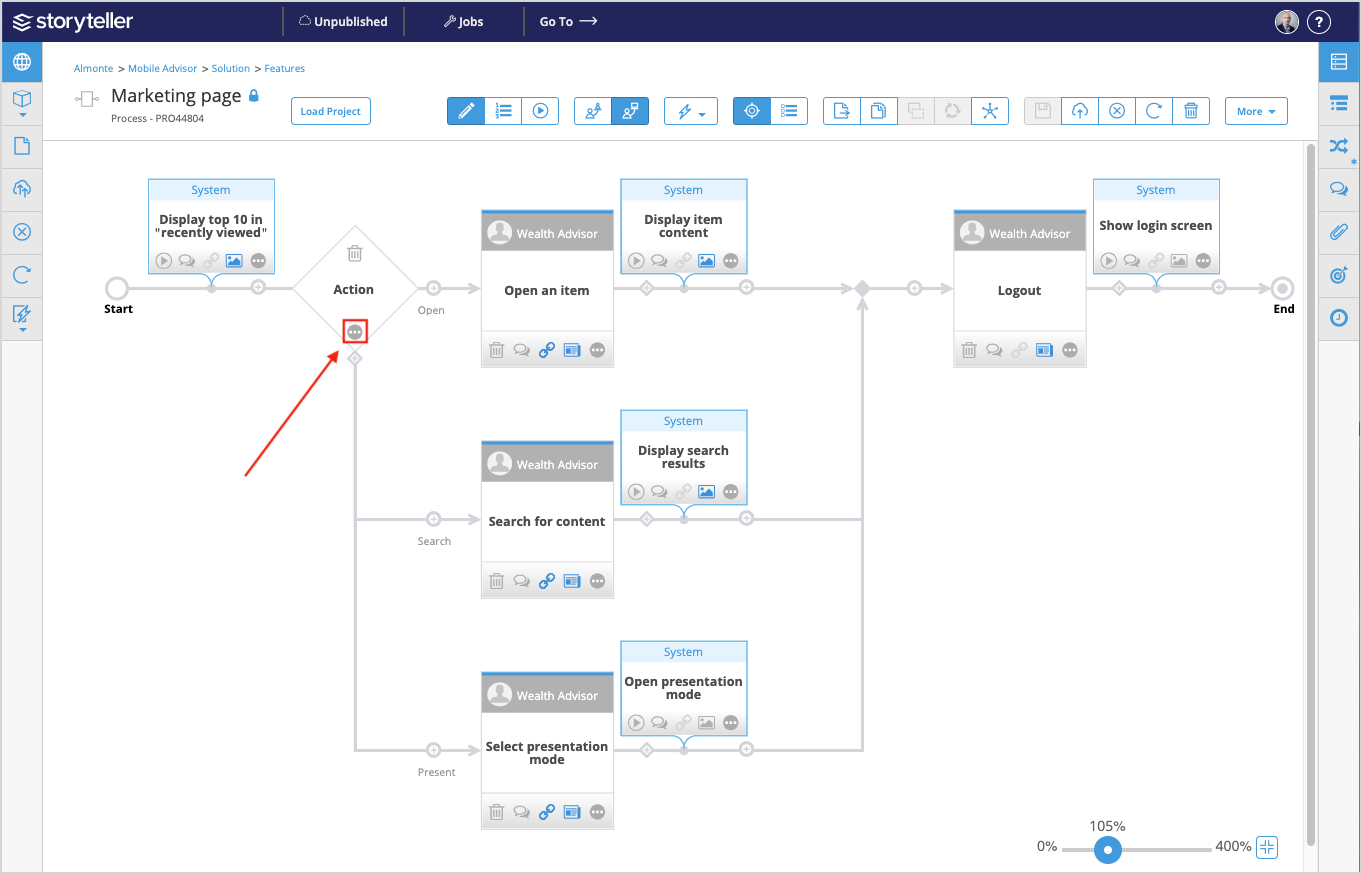
- Click the additional details icon (
 ) on the decision point whose choices/conditions you wish to edit.
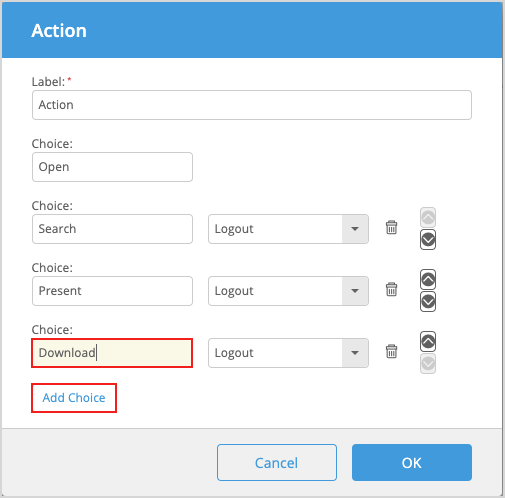
- In the Additional Detail window, click Add Choice or Add Condition and enter a name for the new choice or condition. By default, the newly added choice/condition endpoint is set as the next task.
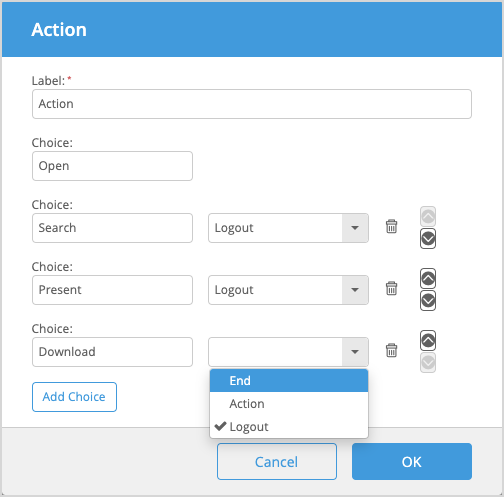
- Click the drop-down menu and select a new endpoint. In addition to the End of the Process, all valid endpoints for the choice/condition (that is, other tasks and user-choice decision points) are listed by name.
Choices/conditions cannot point to the beginning of a sibling choice/condition; these endpoints are not listed.
- Rename the choice/condition to describe the scenario in which it takes place. When Blueprint generates a user story, the names given to system decision-point conditions are used to label scenarios in the user story Acceptance Criteria section.
- Continue to Add Choices or Add Conditions until you have as many as required.
There can be a maximum of 10 choices/conditions.
- Click OK.