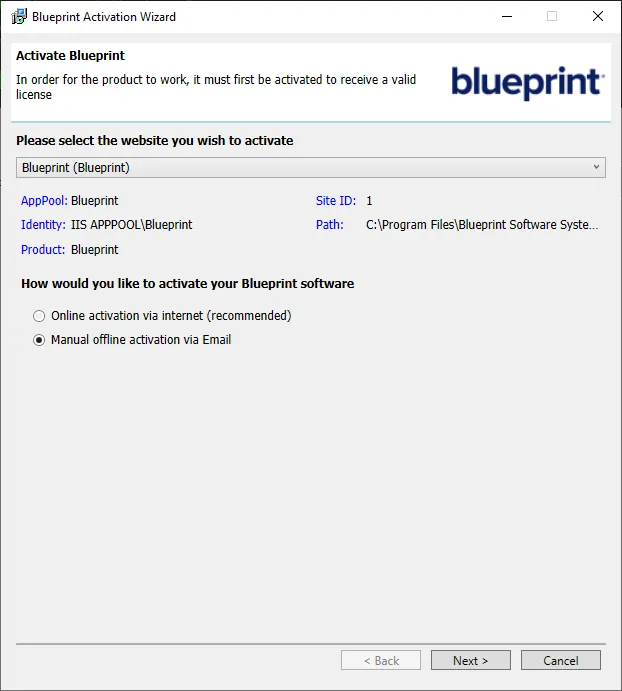
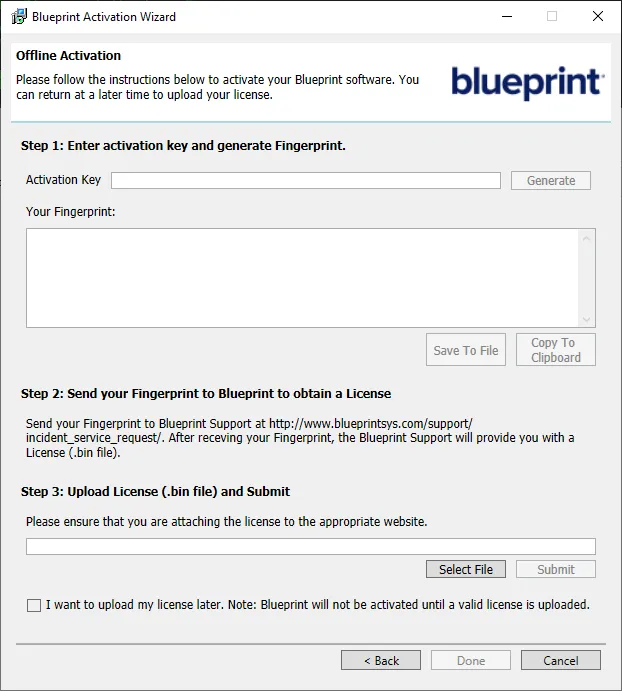
Activate Blueprint
1 min
If you entered an activation key into the Blueprint Configuration Wizard while creating your configuration file and no errors were displayed during installation, your application should already be licensed and you can skip this section.
If activation was not completed during the installation process, either due to an error or the absence of an activation key, navigating to your new Blueprint site will produce the following error message: The application cannot be run without a valid license. Please contact your Administrator. There are two methods to activate Blueprint:
- Online Activation (Recommended)
- Requires an internet connection on the Blueprint application server.
- Manual Offline Activation (via E-mail)
- Does not require an internet connection on the Blueprint application server.
Complete the following steps on your Blueprint application server:
- Navigate to your Blueprint installation path.
- The default path is C:\Program Files\Blueprint Software Systems\Blueprint.
- Navigate to the Setup folder.
- Launch BlueprintActivationWizard.exe.
- Specify the site you want to activate and select Online activation via internet (recommended).
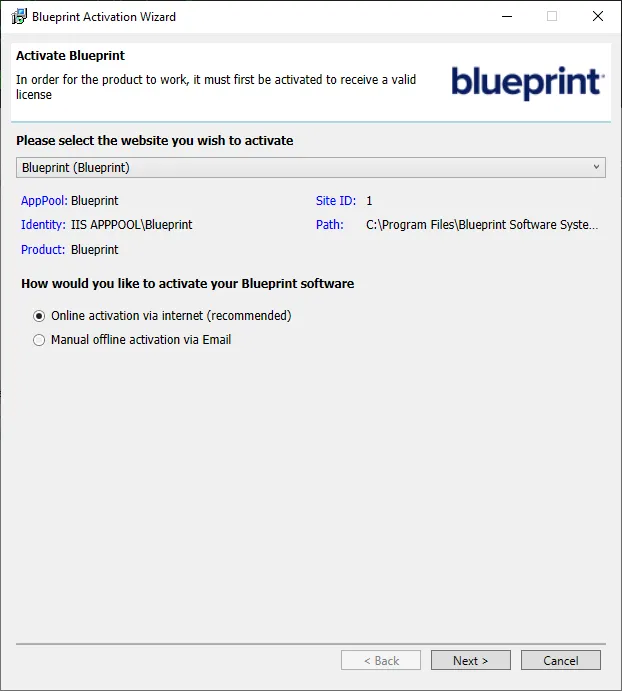
- Click Next.
- Enter your activation key into the space provided. If you have multiple keys, you may enter them as a comma-separated list.
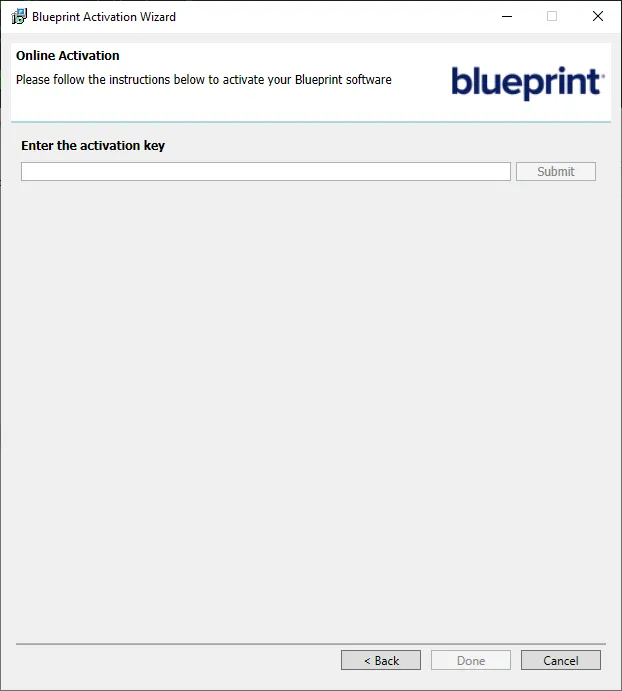
- Click Submit.
- Once a dialogue box appears confirming activation, click OK.
- Click Done to close the wizard.
- Check if Blueprint has been activated by navigating to your new Blueprint site and verifying that you can see the login page.