Visio Mapping
When importing Visio files, Blueprint allows users to map custom shapes to the existing Blueprint shape repository for seamless integration.
Below is a template of the mapping sheet users can fill out.
Column A (Custom Shape Name) is the name of the custom shape as it exists in the Visio file.
Column B (Blueprint Shape) is the corresponding Blueprint shape that the custom shape should map to.
Visio Mapping.xlsx Note:
- Only .xlsx file format is accepted
- The Custom Shape Name is case sensitive. Please make sure it matches exactly to what is in Visio
- Shape mapping is not for individual shapes, but for shape types. - Example: "Actor.1000" is a shape name "Actor" would be the shape type
Listed are all the Blueprint Model shapes available for custom mapping:
Default Library
Image | Name | Description |
|---|---|---|
| Text | Drag this shape onto the canvas to add text that is independent of a shape. The shape will change into a text box when dragged onto the canvas. Double click the text box to edit the text. |
| Callout | The call out shape is used to annotate a model or diagram with comments or notes. |


Basic Library
Image | Name | Description |
|---|---|---|
| Rectangle | A basic Rectangle shape. The size and aspect ratio can be adjusted to transform this shape into a square. |
| Rounded Rectangle | A Rectangle shape with rounded corners. The size and aspect ratio can be adjusted to transform this shape into a square with rounded corners. |
| Diamond | A basic Diamond shape. Diamonds are often used to represent decision points in flow chart type diagrams. |
| Circle | A basic Circle. The size and aspect ratio can be adjusted to transform this shape into an oval. |
| Triangle | A basic Triangle. This shape, like all shapes, can be rotated to have any orientation. |
| Parallelogram | A basic Parallelogram shape. |
| Trapezoid | A basic Trapezoid shape. |
| Note | A basic Note shape. |
| Document | This shape is used to represent a document. |
| Multi-Documents | This shape is used to represent a set of documents. |
| Cylinder | A basic Cylinder shape. This shape is often used to represent a data storage device. |
| Cloud | A basic Cloud shape. This shape is often used to represent a network or the cloud. |
| Arrow | A single-sided Arrow. Often used to draw attention to specific areas of a diagram. This shape does not share the same behavior as a connector. |
| Bidirectional Arrow | A Bidirectional Arrow. Often used to draw attention to specific areas of a diagram. This shape does not share the same behavior as a connector. |


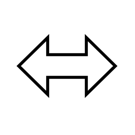
Arrow Library
Image | Name |
|---|---|
| Modern Arrow |
| Flexible Arrow |
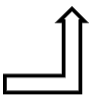
| Bent Arrow |
| U-Turn Arrow |
| Sharp Bent Arrow |
| Curved Right Arrow |
| Curved Left Arrow |
| Circular Arrow |
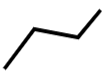
| Multi-Line |
| 2D Multi-Line |
| Multi-Arrow |
| Striped Arrow |
| Notched Arrow |
| Block Arrow |
| Quad Arrow |
| Quad Arrow Block |
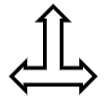
| Left-Right-Up Arrow |
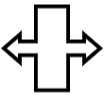
| Left-Right Arrow Block |

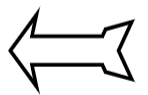
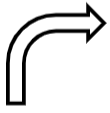
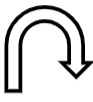








BPMN Events
Image | Name | Description |
|---|---|---|
| Start Event | Start Events indicate the start of a process or a Sub-event process. Start Events can be marked as Interrupting or Non-Interrupting in the Utility Panel. |
| Intermediate Event | Used to represent any events that occur between the start and end events. Intermediate Events can be marked as Interrupting or Non-Interrupting in the Utility Panel. |
| End Event | Represents the last or final step in a process. |


BPMN Activities
Image | Name | Description |
|---|---|---|
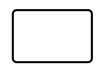
| Task | The activity that is to be performed. |
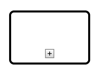
| Sub-Process | A group of tasks that fit well together. The sub-process shape can be expanded or collapsed by using the "+" symbol on the shape. |
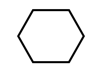
| Conversation | A set of logically related message exchanges. |
| Sub-Conversation | A conversation with a "+" indicates that it is a sub-conversation. |

BPMN Artifacts
Image | Name | Description |
|---|---|---|
| Annotation | Describes additional flow parts of the model. |
| Group | Organize tasks or processes that are significant to the overall process. |
| Data Object | Represents data in the process. Could be data resulting from the process, data that needs to be collected or data that must be stored. |
| Data Store | Represents access or storage of data associated with a process. |
| Message | An action that refers to a specific addressee and represents or contains information for the addressee is a message. |
| Pool (Black Box) | An empty pool that represents a business process with all details hidden. |



BPMN Gateways
Image | Name | Description |
|---|---|---|
| Gateway | Gateways are symbols that separate and recombine flows in a process diagram. |

Use Case Library
Image | Name | Description |
|---|---|---|
| Actor | The activity that is to be performed. |
| Use Case | A single use case |
| Use Case With Extensions | A single use case with an extension to other use cases |
| Boundary | Used to represent the system boundary of the Use case |


Flow Chart Library
Image | Name | Description |
|---|---|---|
| Terminator | Represents the end of a process |
| Process | Represents a step in a process |
| Decision | Used to indicate a decision point in the process |
| Predefined Process | Represents an existing defined process |
| Document | Used to represent a printed document |
| Multiple Document | Used to represent multiple printed documents |
| Manual Input | A step in the process that requires user input |
| Preparation | Used to represent a setup up to a process |
| Data | Used to represent data |
| Database | Used to represent data storage |
| Hard Disk | Used to represent data storage |
| Internal Storage | Used to represent internal storage |
| Stored Data | Used to represent stored data |
| Off-Page Link | Used to link to another Flow Chart |
| Manual Operation | A manual step in the process |
| Loop Limit | Used to define maximum iterations |
| On-Page Link | Used to link to another Flow Chart in the same diagram |
| Or | Indicates that the process flow continues in more than two branches |
| Summing Junction | Indicates a point in the flowchart where multiple branches converge into a single process |
| Merge | Indicates a step where two or more sub-processes join into a single process |
| Collate | A step used to indicate data being put into a standard format |
| Sort | A step used to represent the sorting of a set of data |
| Delay | A pause in the process |
| Paper Tape | Used to represent input into old legacy systems |
| Display | Used to show when information is displayed |


Entity Relationship Library
Image | Name | Description |
|---|---|---|
| Entity | Chen's Notation Entity |
| Weak Entity | Chen's Notation Weak Entity |
| Attribute | Chen's Notation Attribute |
| Multivalued Attribute | Chen's Notation Multivalued Attribute |
| Relationship | Chen's Notation Relationship |
| Weak Relationship | Chen's Notation Weak Relationship |


UI Mockup Library
Image | Name | Description |
|---|---|---|
| Browser Frame | A browser frame with standard browser iconography. The title and URL can be directly edited. Scrollbars can be added under the Format Shape tab in the Utility Panel. |
| Frame | A frame with editable left-aligned text. |
| Label | A label with editable font. |
| Hyperlink | A hyperlink that can be configured, formatted, and activated under the Format Shape tab in the Utility Panel. |
| Paragraph | A paragraph placeholder with default 'lorem ipsum' text that can be edited directly in the canvas. |
| Image Placeholder | An image placeholder. Image files cannot be attached to the image. |
| Icon | An icon placeholder. When dragged and dropped onto the canvas, click the search icon under the placeholder to display the Icon Picker modal and select one of the numerous standard icons available. |
| Progress Bar | A progress bar. The position of the progress bar can be directly edited. |
| Horizontal Scrollbar | A horizontal scrollbar. The position of the scrollbar can be directly configured. |
| Vertical Scrollbar | A vertical scrollbar. The position of the scrollbar can be directly configured. |
| Text Box | A text box. The text can be directly edited on the canvas. |
| Button | A button placeholder with editable text. A hotspot with a hyperlink can also be configured under the Format Shape tab in the Utility Panel. |
| Dropdown Buttons | Dropdown buttons with editable text. Options can be added or removed by clicking the add or delete icons under the dropdown buttons icon. Variations and states can also be customized under the Format Shape tab in the Utility Panel. |
| Hotspot | A hotspot with editable text directly in the canvas. A hyperlink can be configured under the Format Shape tab in the Utility Panel. |
| Date Picker | A date picker with a calender icon and single line of text that can be configured in the canvas. |
| Horizontal Slider | A horizontal slider. The position of the slider can be directly edited in the canvas. |
| Vertical Slider | A vertical slider. The position of the slider can be directly edited in the canvas. |
| Numeric Spinner | A numeric spinner. The value displayed on the canvas can only be configured under the Format Shape tab in the Utility Panel. |


