System Requirements
6 min
Architecture Overview
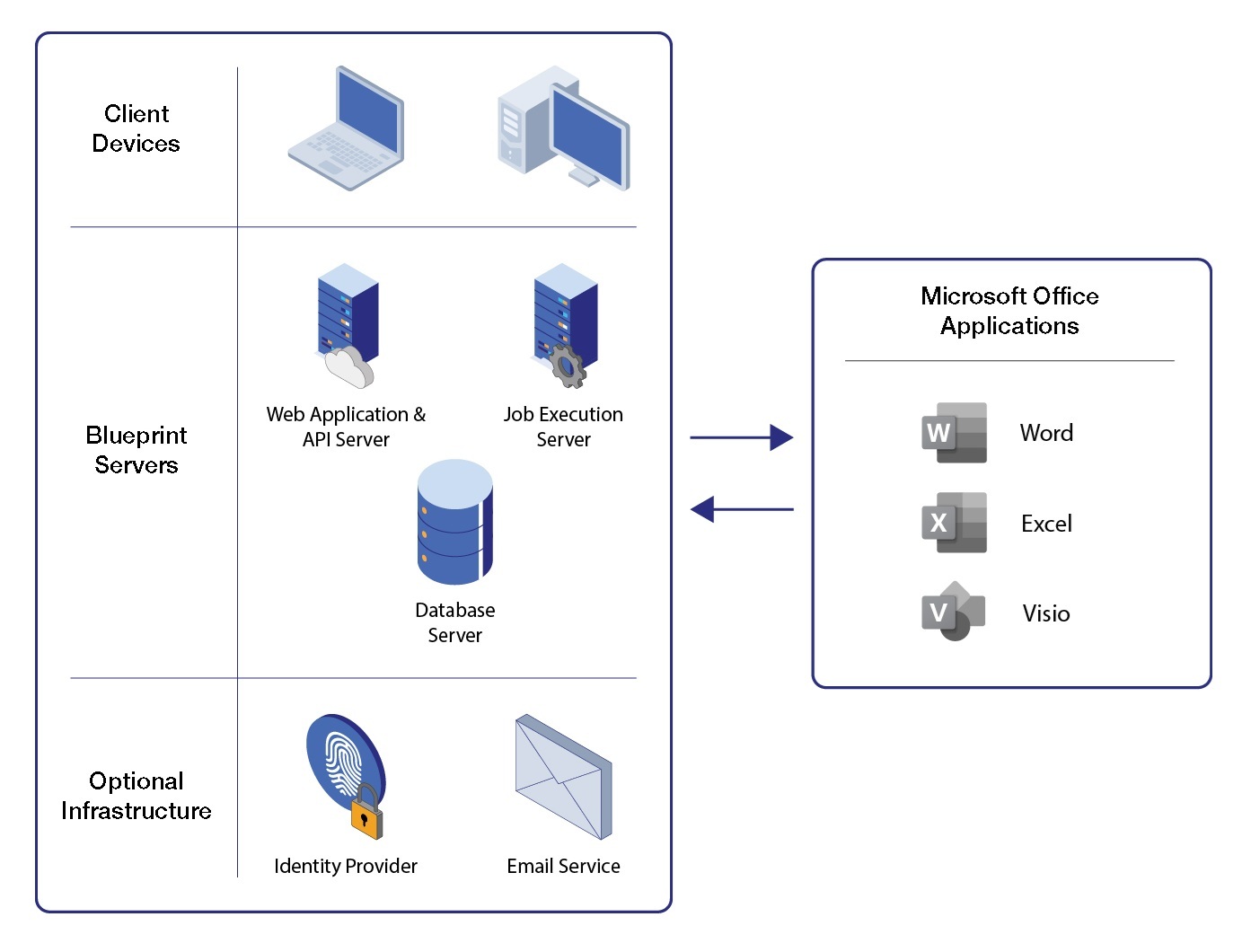
Blueprint has a highly scalable, layered architecture that leverages modern Microsoft technologies.
Core Hardware & Software Requirements
Blueprint must be separated into three servers as detailed in the table below.
| Client Devices | Web Application & API Server | Job Execution Server | Database Server |
|---|---|---|---|---|
Hardware |
|
|
|
|
Software |
|
|
|
|
*Standard and Enterprise editions only **Standard and Datacenter editions only
Additional Software Requirements
Web Application & API Server
There are several roles, features, and role services that must be installed before you can use Blueprint. Please install the following components through the Add Roles and Features Wizard (Server Manager > Manage > Add Roles and Features).
Roles | Features | Role Services |
|---|---|---|
- Web Server (IIS) |
|
|
Database Server
The Full-Text Search feature must be installed and enabled on the SQL Server instance.
Data Tier Configuration
- Windows authentication is required for communication between the application and database tiers.
- The domain account used to run application components must have the following database permissions:
- SELECT, INSERT, UPDATE, and DELETE permissions on any object in the application databases.
- EXECUTE permissions on any stored procedures in the application databases.
- VIEW SERVER STATE permissions are required for system diagnostics.
- Database administrator permissions are only required during the installation of the application.
Networking Configuration
- Web & Application Server:
- Inbound connections: Port 8080 (HTTP) (default) or 443 (HTTPS)
- Auxiliary Services (Internal): Port 9101 (default)
- Database Server
- Ports 139 and 445 for Windows authentication
- Port 1433 (or alternate SQL Server port)