Sort XML Datasources
2 min
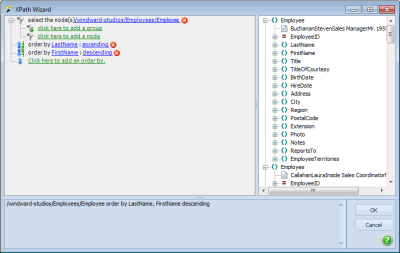
XPath selects normally return nodes in the order they appear in the XML file. However, you can set a sort criteria and the returned nodes will be sorted by that criteria. Sort follows the XQuery syntax using "order by node, node".
- The sort can be in ascending (default) or descending order for AutoTag and the .NET engine.
- The sort will always be in ascending order for the Java engine. The word descending will be ignored.
- You can have secondary sort criteria such as "LastName, FirstName".
- The sort criteria can be any valid XPath that can be applied to each node in the returned list of nodes. You can type the sort criteria in by hand or use the wizard and add sort criteria by clicking click here to add an order by.
XPath selects normally return nodes in the order they appear in the XML file. However, you can set a sort criteria and the returned nodes will be sorted by that criteria. To sort on an XPath query, bring up the tag builder and enter the criteria in the sort property. The button to the right provides a pop-up window displaying the nodes under the select of your foreach tag.
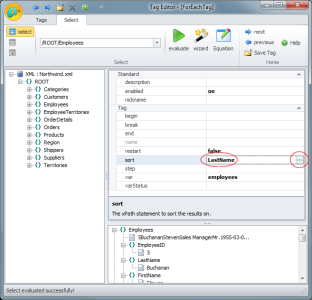
- The sort will always be in ascending order, so 1, 5, 23 or Frank, Jose, Zeb.
- You can have secondary sort criteria such as "LastName;FirstName". The pop-up selector does not support secondary nodes, but you can type them in by hand.
- The sort criteria can be any valid XPath that can be applied to each node in the returned list of nodes. The pop-up node selector does not provide a full wizard, but you can type complex selects in by hand.