Set or Reset a Project Print Template
2 min
Project Print Templates are the templates at the project level that determine the elements Blueprint pulls when exporting artifacts to PDF or Word. Project administrators with the appropriate privileges may set a new Project Print Template, or reset the Project Print Template back to its default.
To set or reset a Project Print Template in the Administration Portal, users must have the "Manage Project Configuration" privilege in their Project Administrator Role. For more information on Project Administrator Roles, see Manage Project Administrator Roles.
To set or reset a Project Print Template:
- In the Administration Portal, click Projects and select the project with the Project Print Template you want to set or reset. For information on how to access the Admin Portal, see About the Administration Portal.
- Under Projects, click Advanced Settings and select Project Templates.
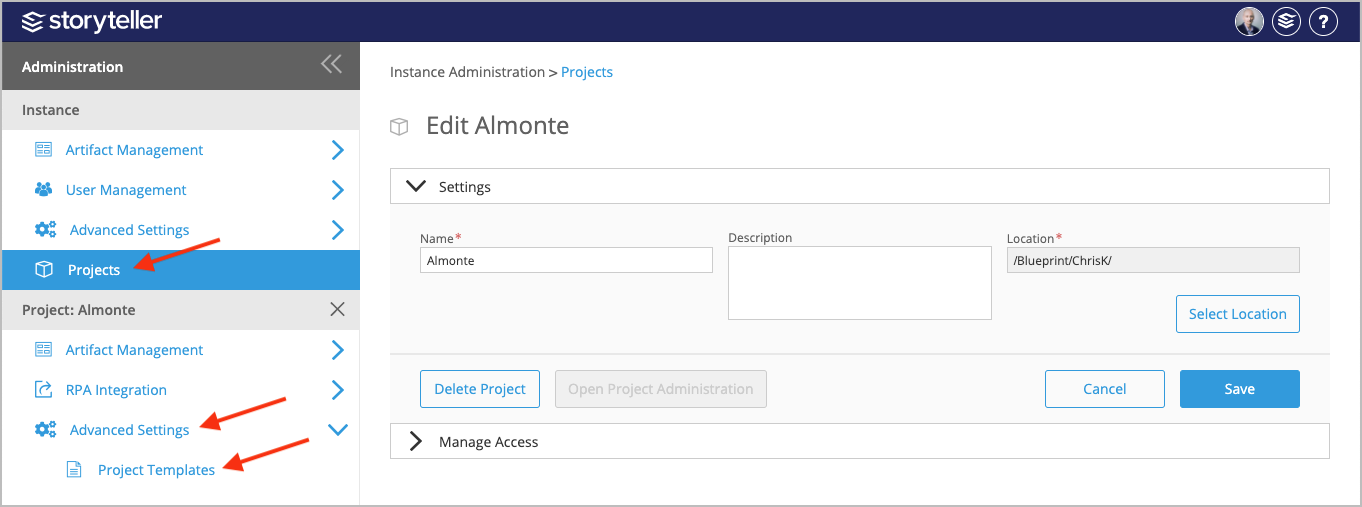
- On the Project Templates page, click the Project Print Template tab.
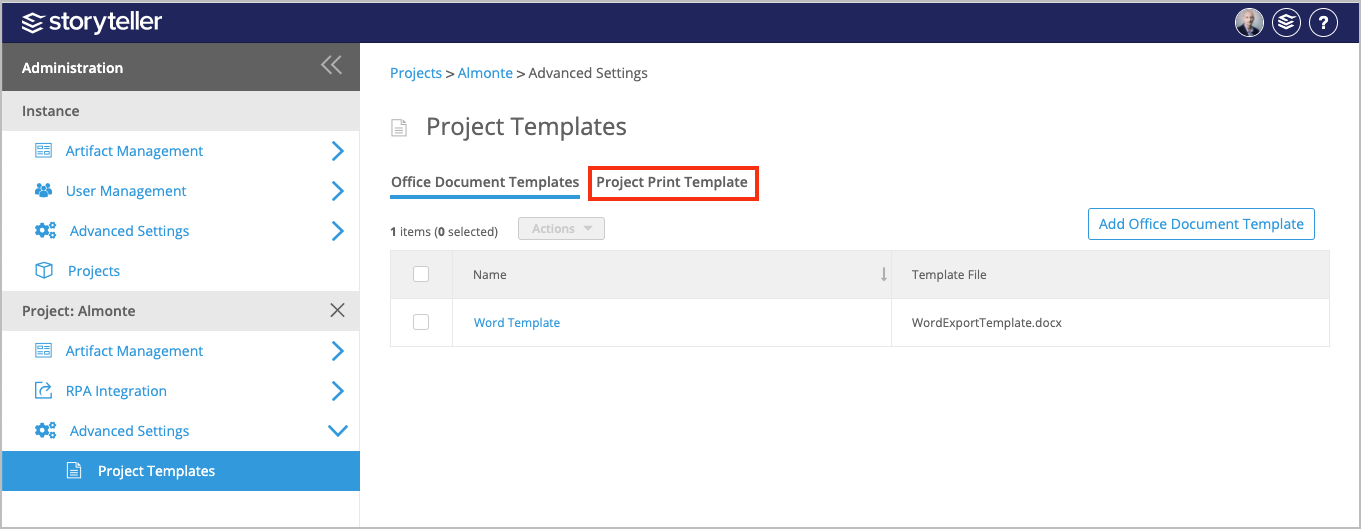
- To reset a Project Print Template back to its default, click Revert to Default.
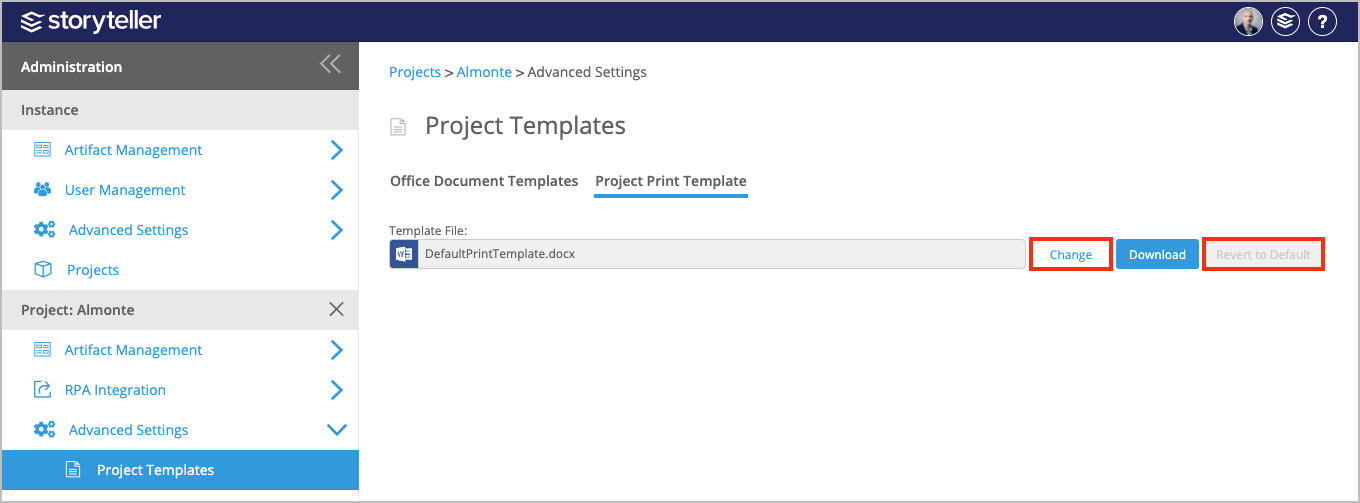
- To upload a new Project Print Template:
- Click Change.
- In the file browser displayed, locate and select the template you want to upload.