Generate User Stories
3 min
In Blueprint, you can generate a single user story from a single task, or generate all the user stories in the entire process.
Generate a Single User Story
To generate a single user story from a task in a Process in the Process Editor:
- Select the task you want to generate a user story for.
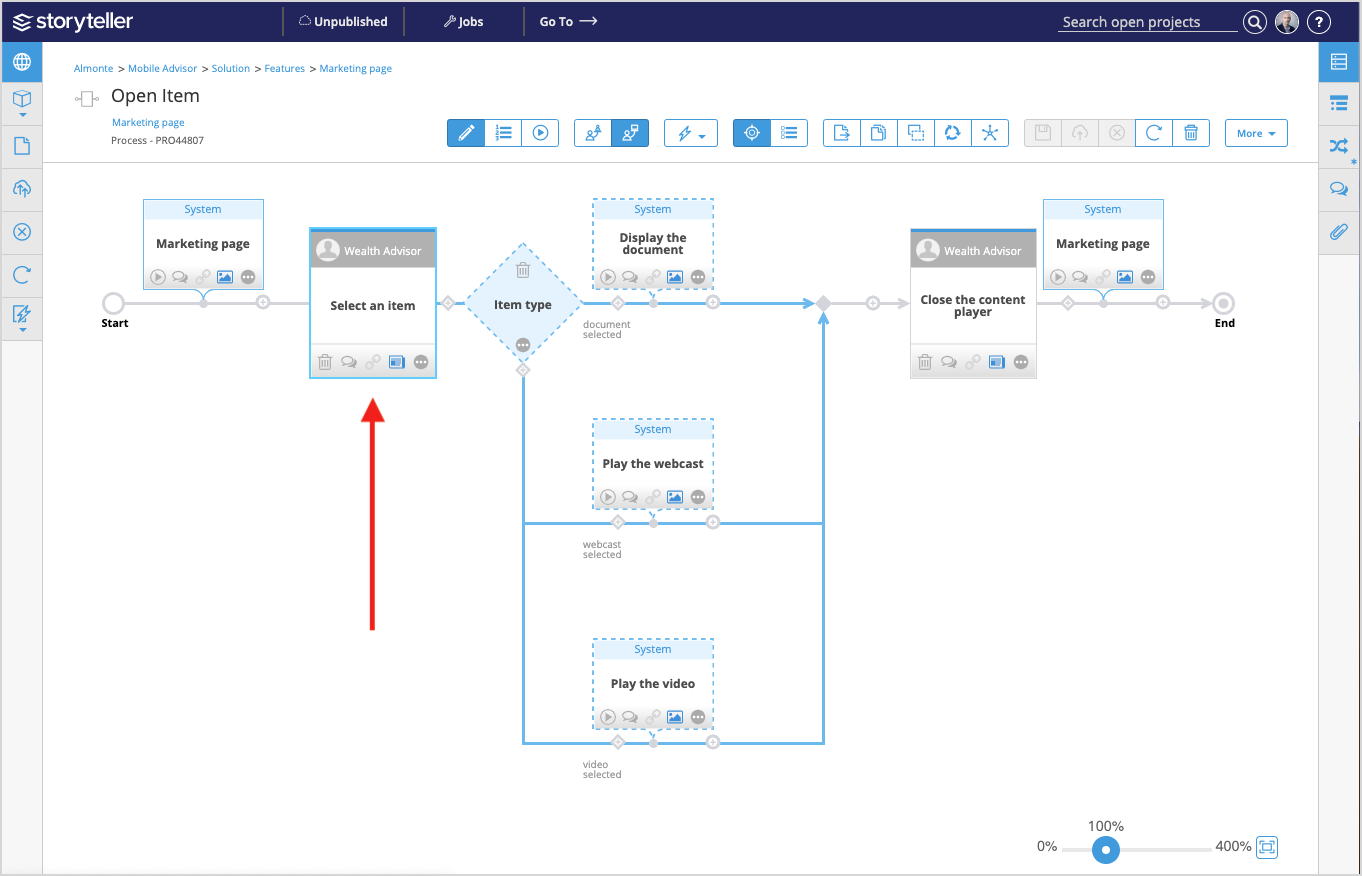
- Click the User Story icon (
 ) and select Generate Story from Task. The user story hierarchically appears below the Process artifact as a child artifact of that Process. For more information, see User Story Artifacts.
In addition, when a traced user story exists for a task, the task's user story indicator ( ) is enabled.
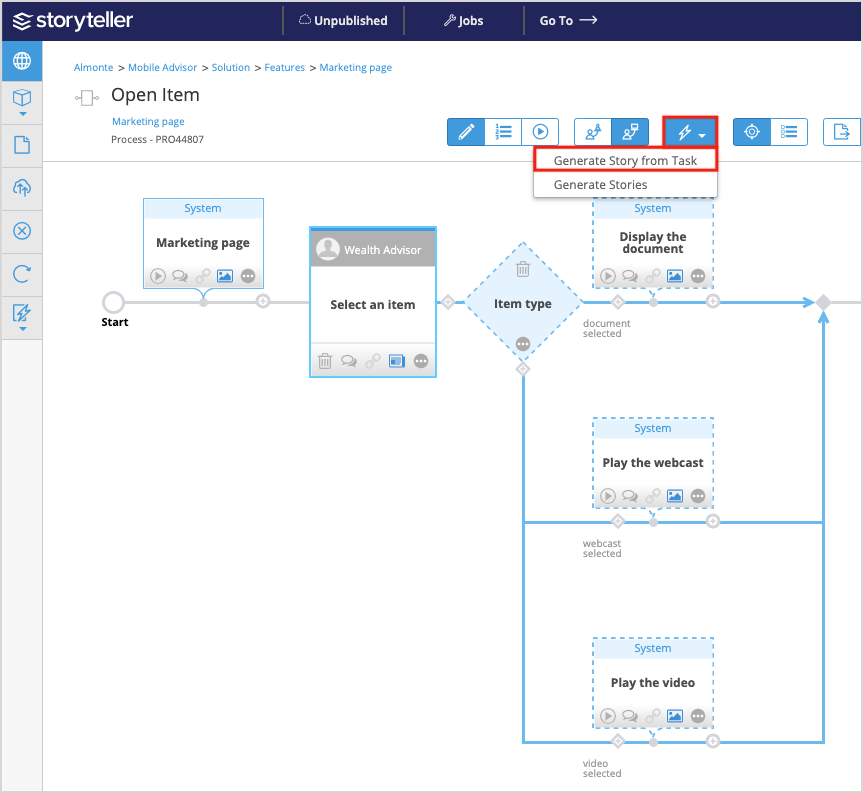
Generate All User Stories From a Process
To generate all user stories from a Process in the Process Editor:
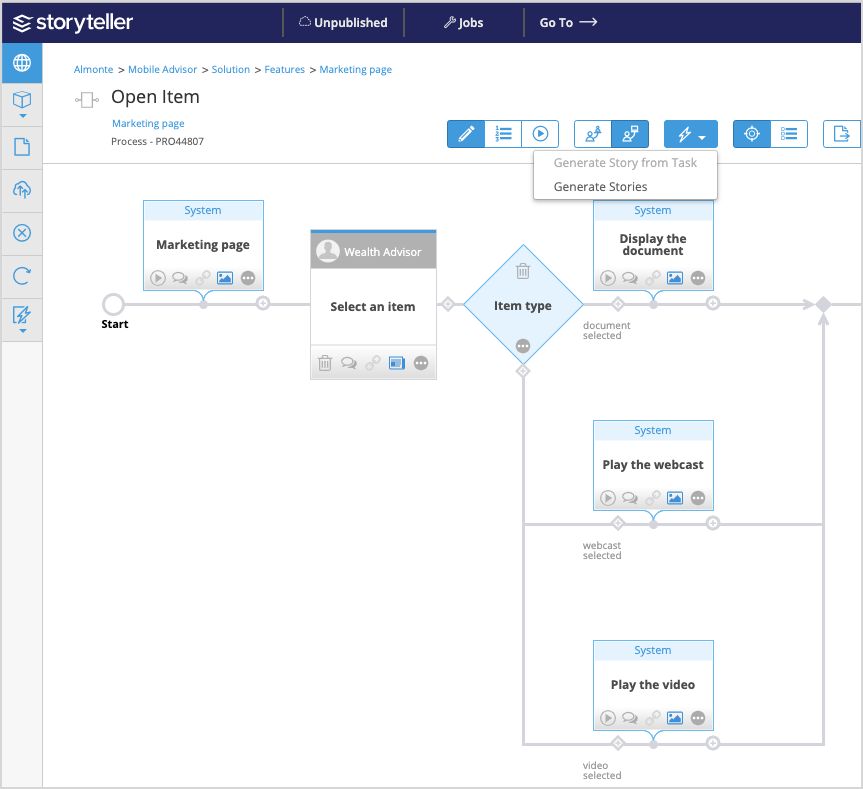
- Access the Process of interest. Ensure no tasks are selected within the process.
- Click the User Story icon (
 ) and select Generate Stories. The user stories hierarchically appear below the Process artifact as a child artifacts of that Process.
For more information, see User Story Artifacts.
) and select Generate Stories. The user stories hierarchically appear below the Process artifact as a child artifacts of that Process.
For more information, see User Story Artifacts.
You can generate a user story to do any of the following:
- Generate a preview of the user story in the Process editor, to help you verify its details and acceptance criteria
- Create a user story artifact that is traced to the task
- Create downloadable assets (a .feature file and mockups or other images) that can be synced with ALM or task-management tools that are used for development and test delivery