Edit the Direction of Traces
1 min
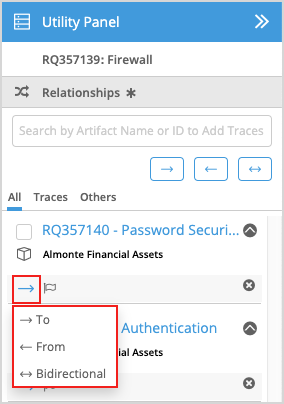
The direction of a Trace relationship is indicated by the following three icons:
| Traces to |
|---|---|
| Traces from |
| Bidirectional |


When you add a Trace in the Utility Panel, you can establish the direction of the trace during its creation. For more information, see Add Traces.
You can also edit the direction of a Trace relationship in Utility Panel, by performing the following procedure:
- Click the Relationships tab in the Utility Panel.
- Click the direction for the Trace relationship you want to edit and select the new direction for the relationship.