Delete Valid Values from a Choice Type Custom Property
As a project administrator, you can delete valid values from your Choice type Custom Properties. When you delete a valid value for a Choice type Custom Property, all selections of that valid value in live artifacts across that project will also be deleted.
To delete valid values for a Choice type Custom Property in the Administration Portal, users must have the "Manage Project Configuration" privilege in their Project Administration role. For more information on Project Administrator Roles, see Manage Project Administrator Roles.
Standard Properties can be viewed by Project Administrators, but cannot be edited.
To delete valid values from a Choice type Custom Property:
Deleting a valid value from a standard property will result in all selections of that valid value being deleted.
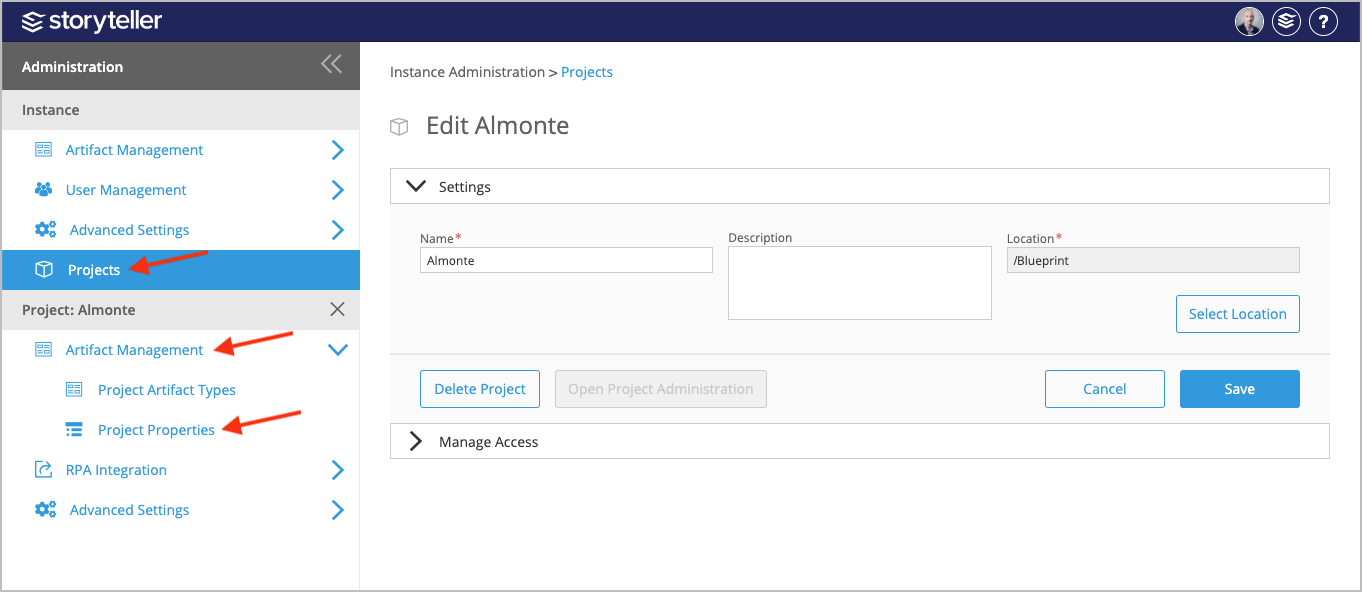
- In the Administration Portal, click Projects and select the project with the Custom Property you want to delete valid values for. For information on how to access the Admin Portal, see About the Administration Portal.
- Under Projects, click Artifact Management and select Project Properties.
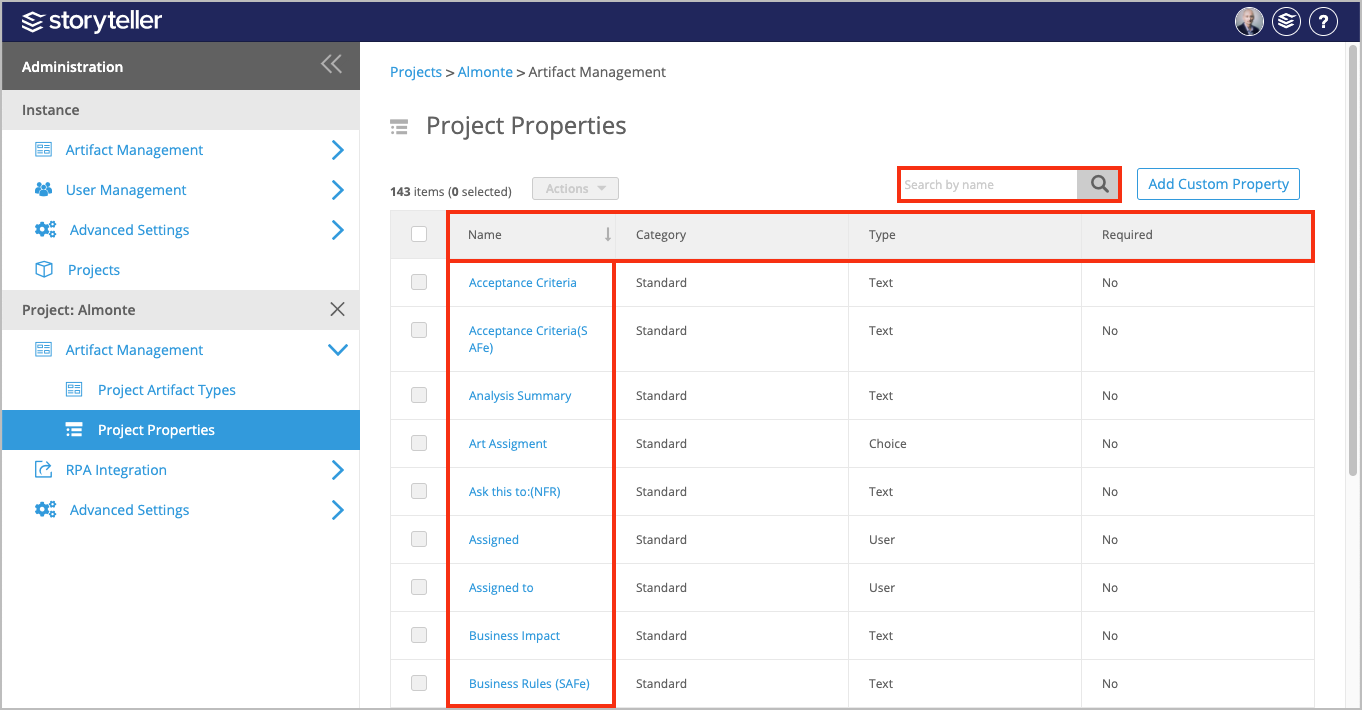
- In the Project Properties page, click the name of the Choice type Custom Property you want to delete valid values for. You can search for the property by name using the search bar in the upper right corner. You can also sort the list by clicking a column header to display each column in alphabetical or reverse alphabetical order. Click the Category column header to bring all Custom Properties to the top of the table.
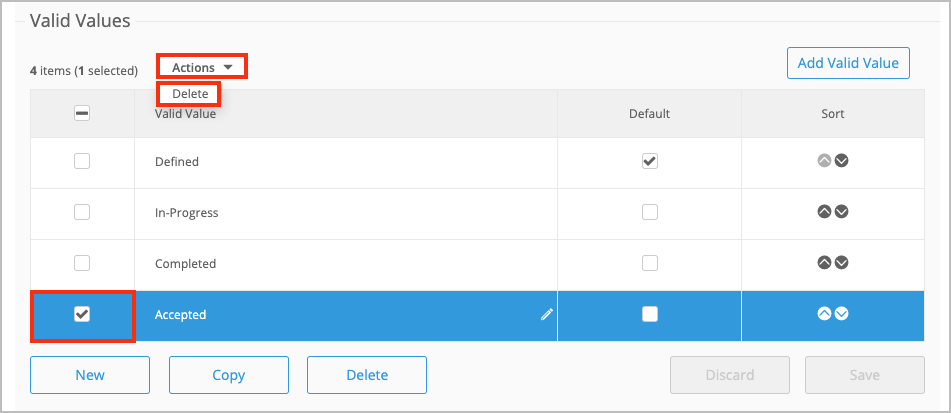
- In the Valid Values section, select the checkboxes for the valid values you want to delete and then click the Actions dropdown and select Delete.
- Click Save.