Delete Multiple Instance Administrator Roles
1 min
To delete multiple Instance Administrator Roles simultaneously:
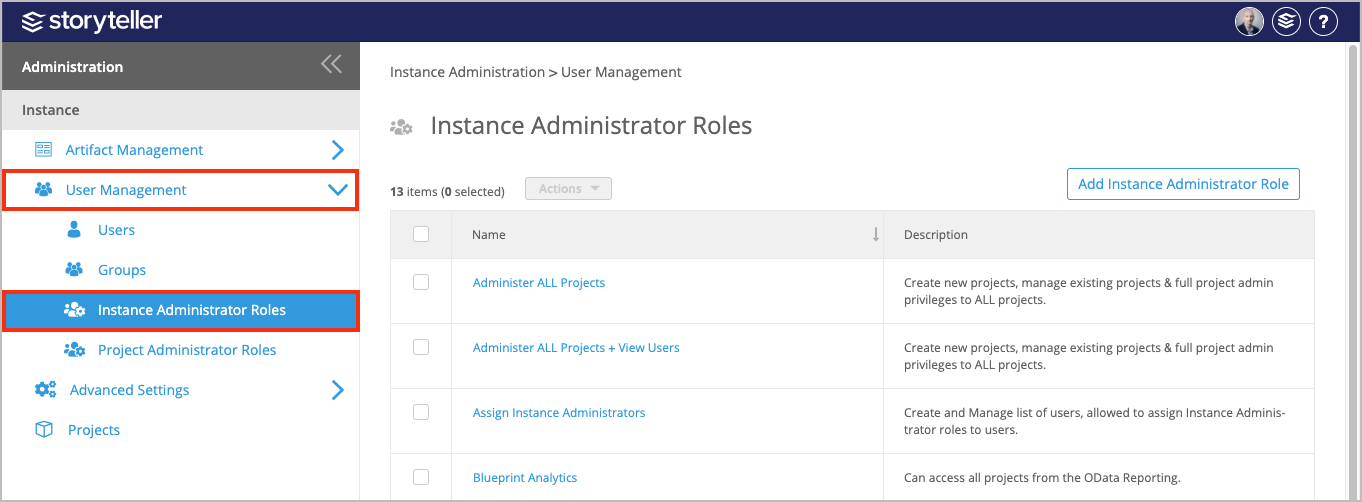
- In the Administration Portal, click User Management and then select Instance Administrator Roles in the side panel.For information on how to access the Admin Portal, see About the Administration Portal.
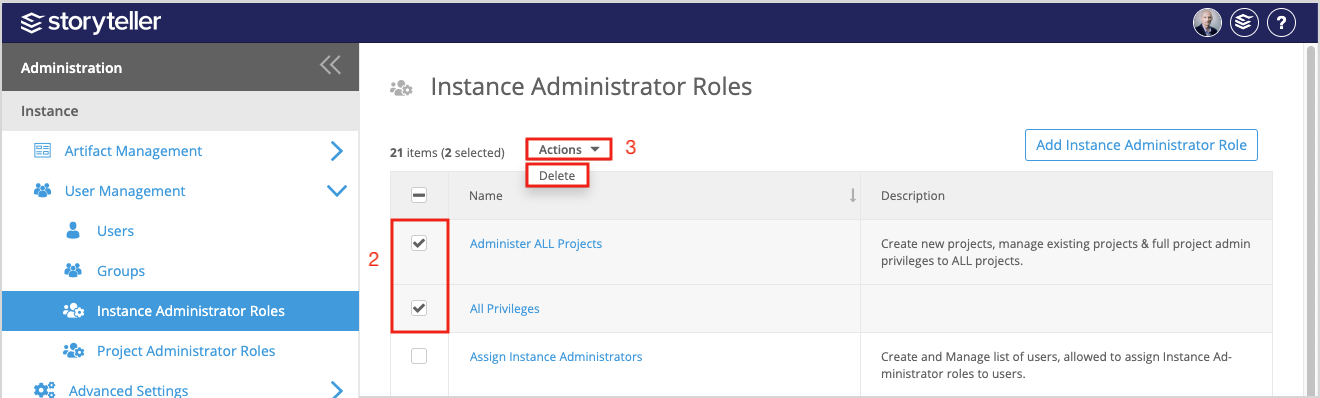
- In the Instance Administrator Roles page displayed, select the checkbox for each role you want to delete.
- Click the Actions dropdown and then select Delete.
Once deleted, any user assigned to that role will no longer be able to access the Admin Portal.
- Click OK in the confirmation modal to proceed.