Customize Shapes
2 min
You can style the font, fill, and line of a shape on the canvas in the Universal Model Editor under the Format Shape tab of the Utility Panel. You can also change the variation of certain BPMN shapes.
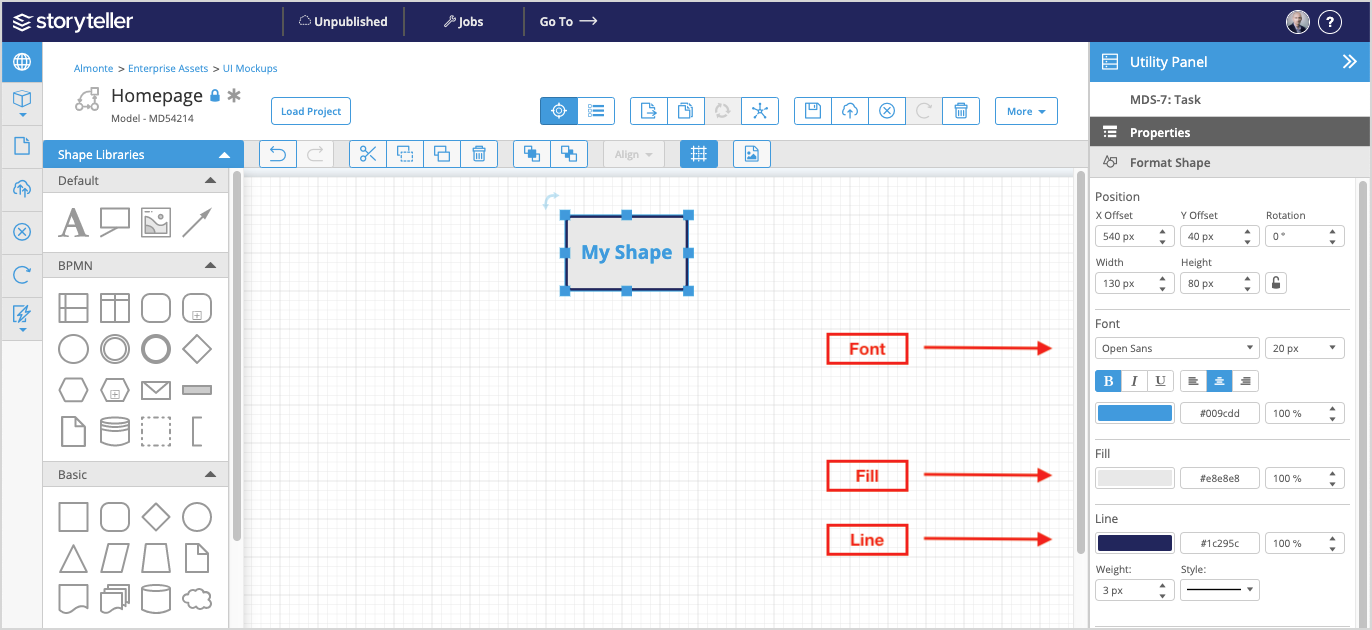
Customize the Font
The following font attributes of shape can be changed under the Format Shape tab of the Utility Panel:
- Family
- Size
- Style
- Alignment
- Color (by using the color picker or entering the hex code)
- Opacity
Customize the Fill
The following fill attributes of shape can be changed under the Format Shape tab of the Utility Panel:
- Color (by using the color picker or entering the hex code)
- Opacity
Customize the Line
The following line attributes of shape can be changed under the Format Shape tab of the Utility Panel:
- Color (by using the color picker or entering the hex code)
- Opacity
- Weight
- Style