Create a Follow-up Review
2 min
After incorporating stakeholder feedback from a previous Review, you may want to send the same artifacts for additional review, to the same list of stakeholders.
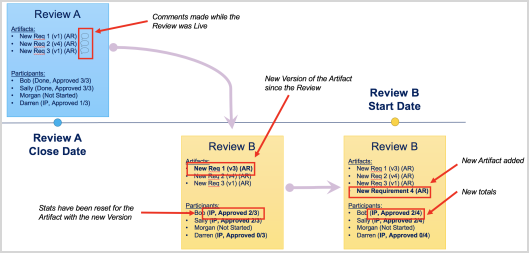
Follow-Up Reviews allow you to quickly create a new Review artifact that is pre-populated with details from an existing closed Formal Review.
To create a Follow-up Review:
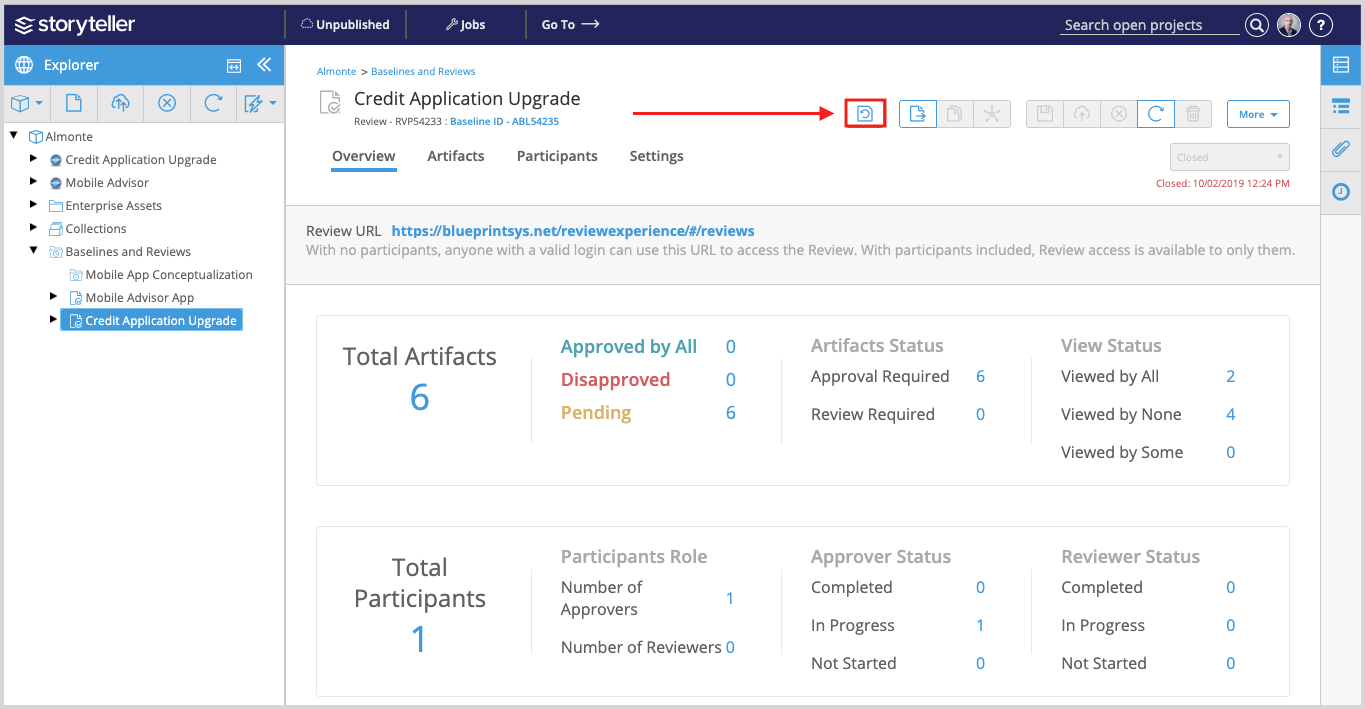
- Access the Review artifact that you want to create a Follow-up Review from.
- Click the Create Follow-up Review button in the artifact toolbar.
Creating a Follow-Up Review carries forward all artifacts, participants and their respective statuses and metrics. The newest versions of all artifacts are brought over.
The Follow-Up Review will contain:
- The same artifacts with the same artifact approval status requirements
- The same participants with the same participant approval status requirements
- The same configured settings The Follow-Up Review includes any artifacts that no longer exist in the project. The Review manager can also modify the Review contents and participants, if desired.
Comments made during the original Review appear on the artifact only—not as comments made during the new Review.
Approvers are only asked to Approve any artifacts that have been updated since the previous Review.