Artifact Creation and Property Update Triggers Workflow Example
1 min
This example demonstrates how the creation of a new artifact, and the updating of an artifact property can be events that trigger actions.
This linear Workflow includes four States and three connecting Transitions.
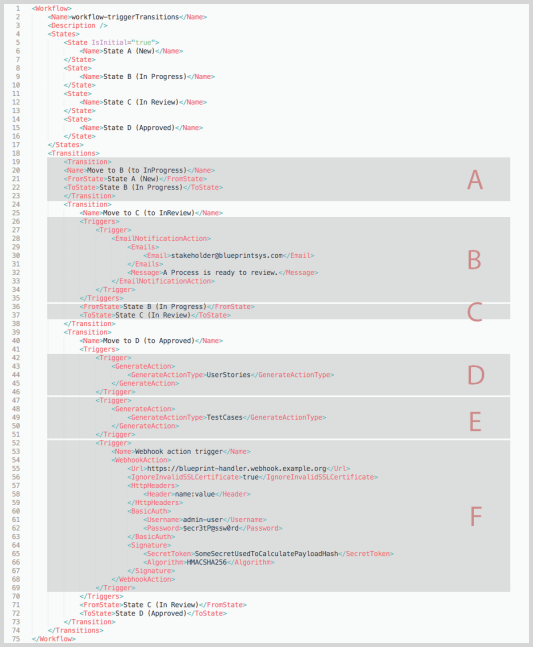
- (A) These Transitions are straightforward, as they define the flow from one State to the next. However, they implicitly coincide with triggered actions.
- (B) The NewArtifacts element indicates there is at least one new artifact creation event that triggers an action. The single NewArtifact element defines the individual new artifact creation event.
- In this example, the NewArtifact element has two Trigger elements defined within it. These element blocks define the actions that will occur after the new artifact creation event.
- (C) The first action is to send an email broadcast to a group, indicating a new artifact is ready for Review.
- (D) The second action is to send a message to an external application via a Webhook. Click here for an example of a Webhook payload that is sent after a new artifact has been created.
- These actions will always occur at the beginning of the artifact's Workflow life cycle, when it is in a new state ("State A (New)")
- (E) The PropertyChange element indicates there is at least one artifact property update event that triggers an action.
- (F) The single PropertyChange element block defines the action and conditions: a standard artifact's property is changed, resulting in an email notification. This action will always occur when the artifact is in State B or State C.