Add User Inputs to Project-level Office Document Templates
2 min
As a project administrator, you can define and manage custom inputs that your users can inject in a project-level Office Document Template that they generate. This gives you the ability to create a document with custom input, particular to each time the document in generated.
To add user inputs to project-level Office Document Templates in the Administration Portal, users must have the "Manage Project Configuration" privilege in their Project Administrator Role. For more information on Project Administrator Roles, see Manage Project Administrator Roles.
To add user inputs to project-level Office Document Templates:
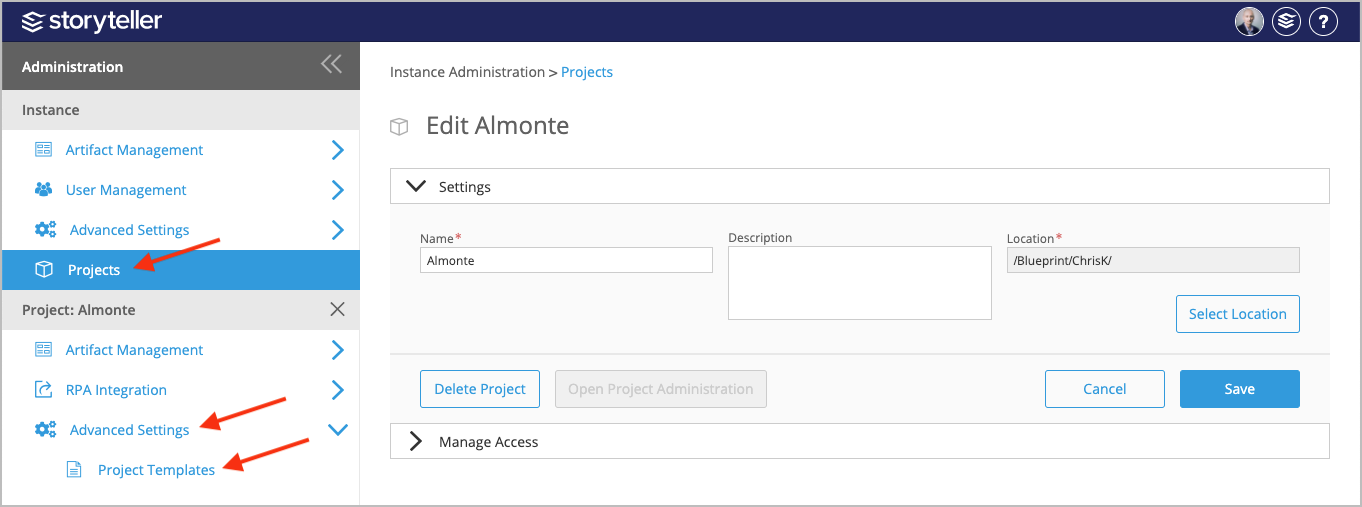
- In the Administration Portal, click Projects and select the project with the project-level Office Document Template you want to add user inputs to. For information on how to access the Admin Portal, see About the Administration Portal.
- Under Projects, click Advanced Settings and select Project Templates.
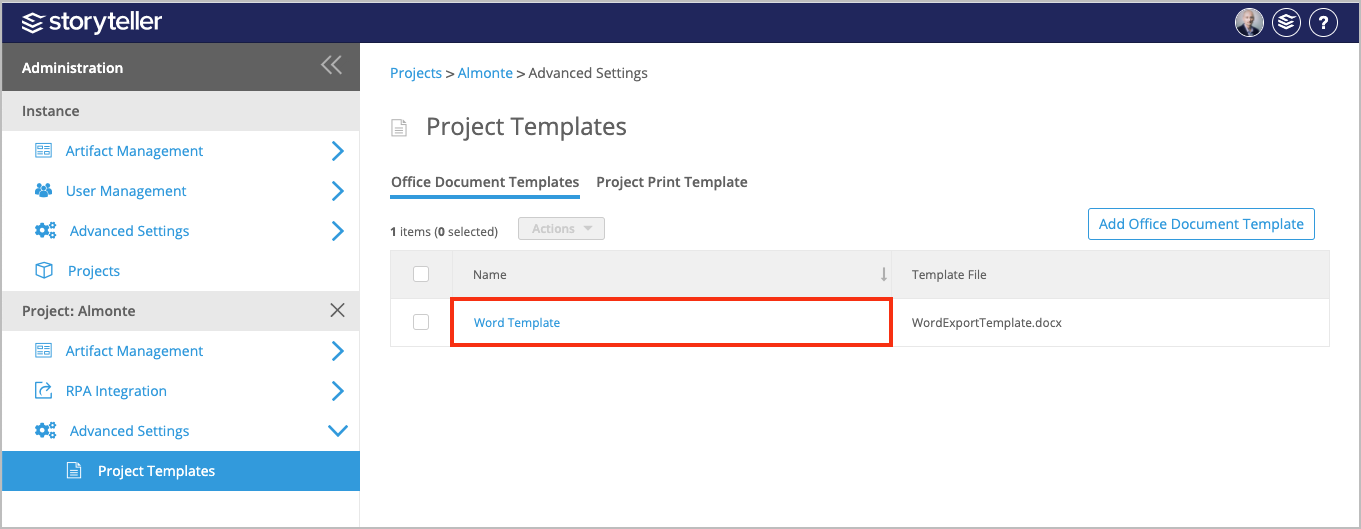
- On the Project Templates page, click the template you want to add user inputs to.
- Click Add User Input.
- Define the following for your new user input:
- Click the edit icon in the Name column and enter a name for the input.
- If you want to define a default value, click the edit icon in the Default Value column and enter a value as needed.
- Select the checkbox in the Mandatory column to make the value required.
- You can order your newly created input accordingly by clicking the directional arrows in the Order column.
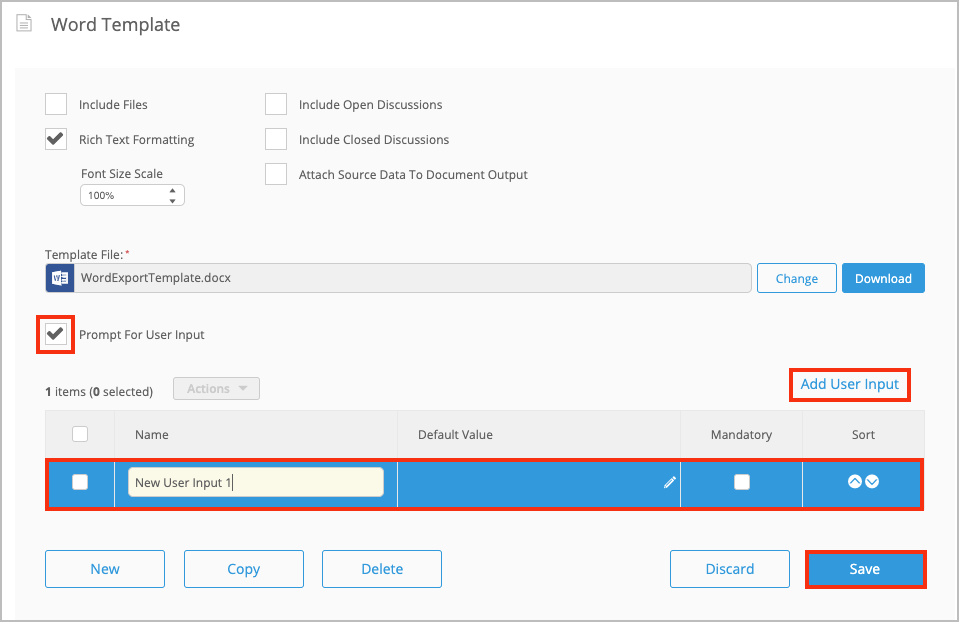
- Click Save.