Add Instructions to a Review
1 min
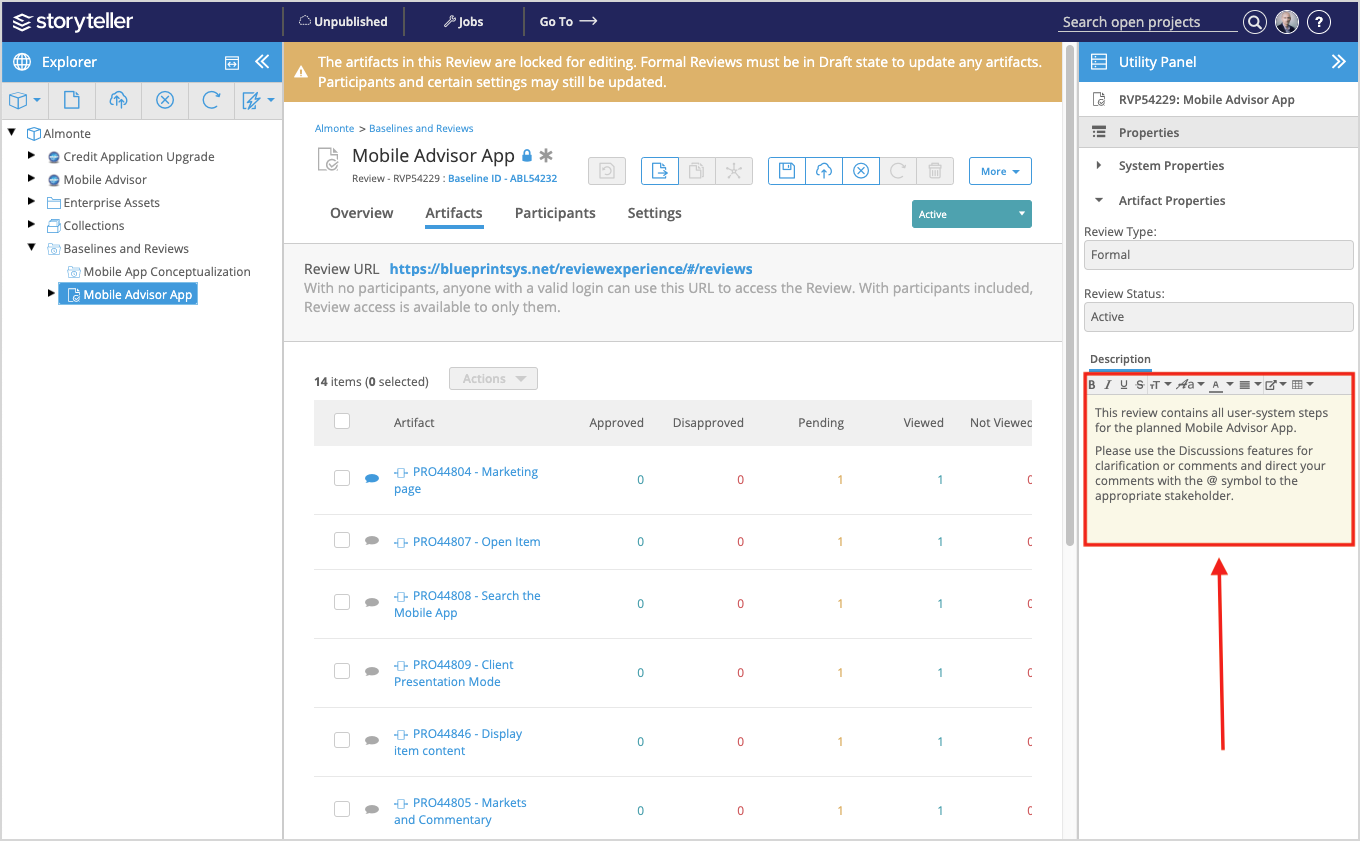
If you need to include important instructions for the Review participants, you can set a description for the Review in the Utility Panel.
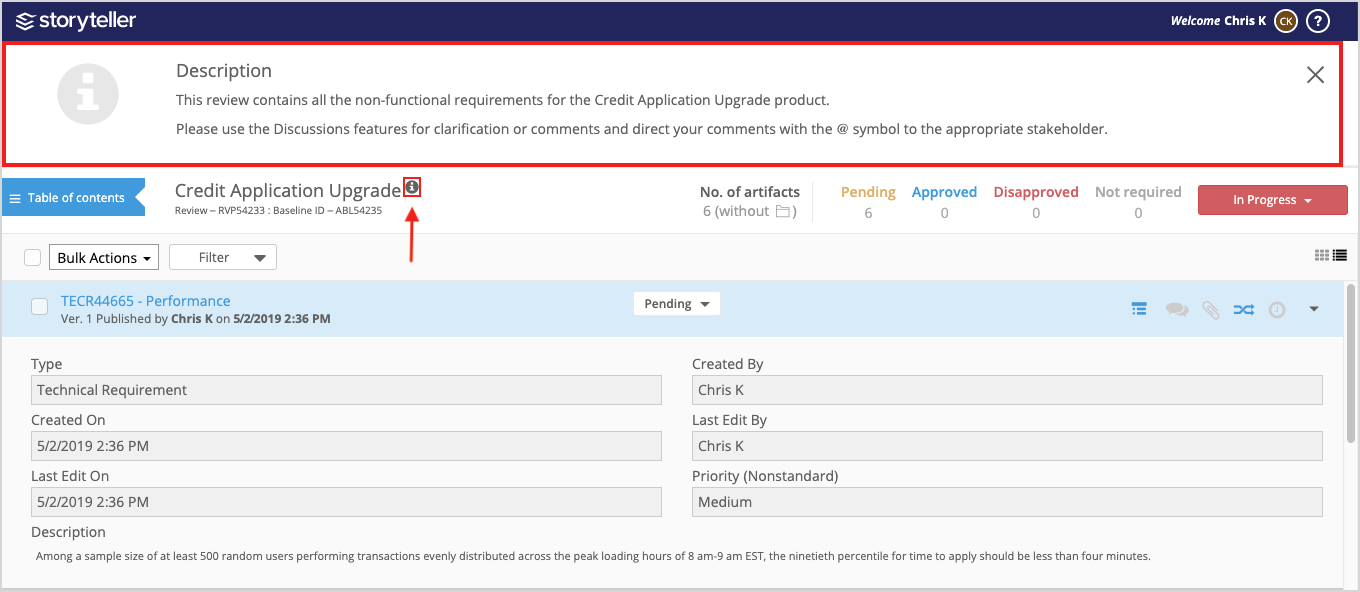
When instructions have been added, participants see an info icon ( ) next to the Review name in the Review Experience that they can click to view the description.
To include instructions in a Review:
- Access the Review artifact of interest and open the Utility Panel.
- Enter your instructions in the Description field.