Add and Label a Task in a Process
To define another user step in your Process, add a task.
You can add a user task nearly anywhere. All locations are valid in Business Process mode. In User-System Process mode, to maintain valid user stories, you cannot add a task immediately after another task.
A task is always tied to, and accompanied by, a responding system task. Whenever you add a task to a Process, an accompanying system task is also created. When Business Process mode is enabled, system tasks are hidden, but still exist.
To add and label a task:
- Click the circular add icon for tasks and choices (
 ).
).
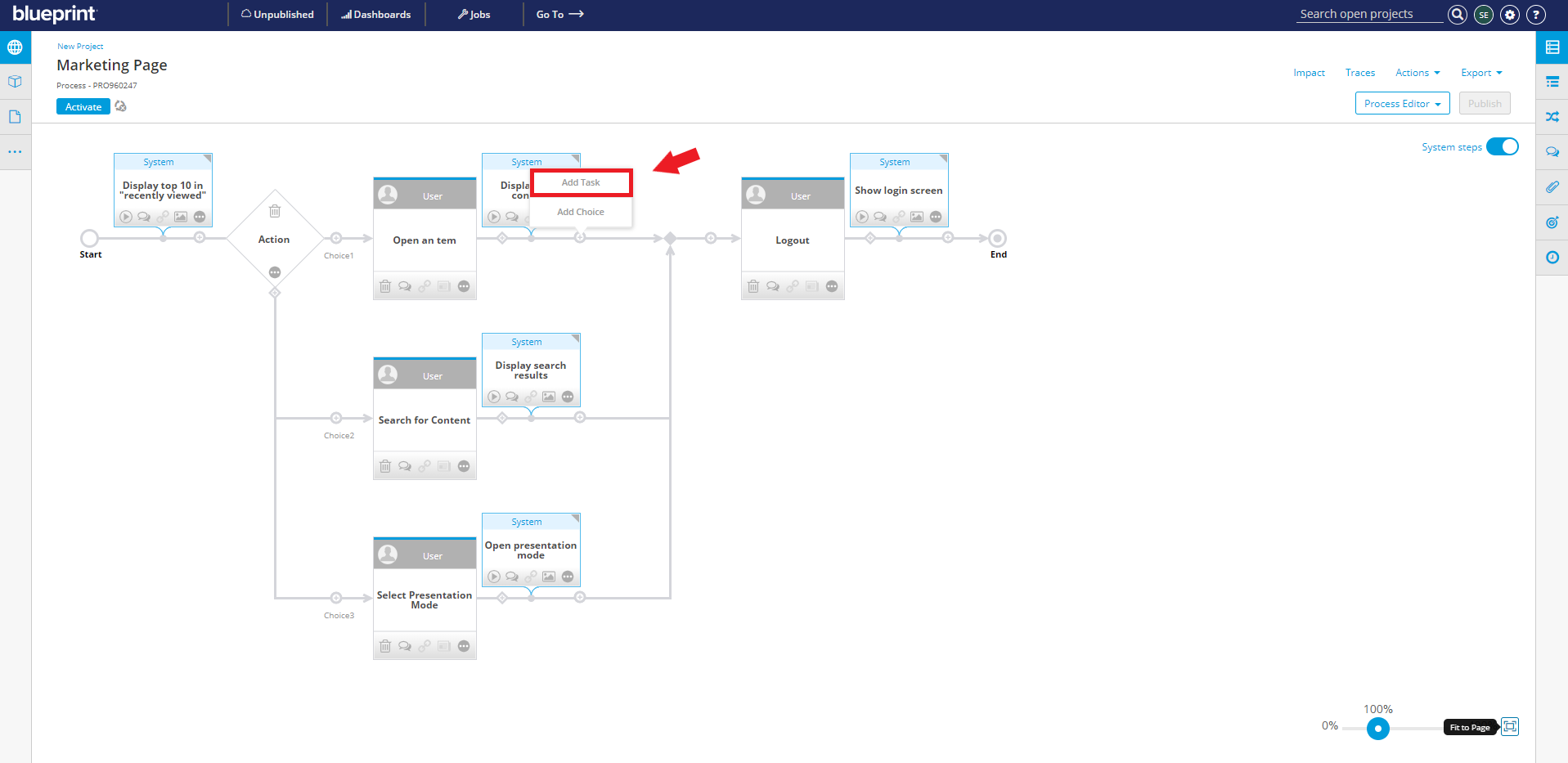
The task is inserted, and labeled with the default Actor and action.
If User-System Process mode is enabled, an accompanying system task will also be inserted with its own default labels for Actor and response.
- To add details about the tasks:
- Double-click and edit the action label in the task.
- If applicable, double-click and edit the response label in the system task.
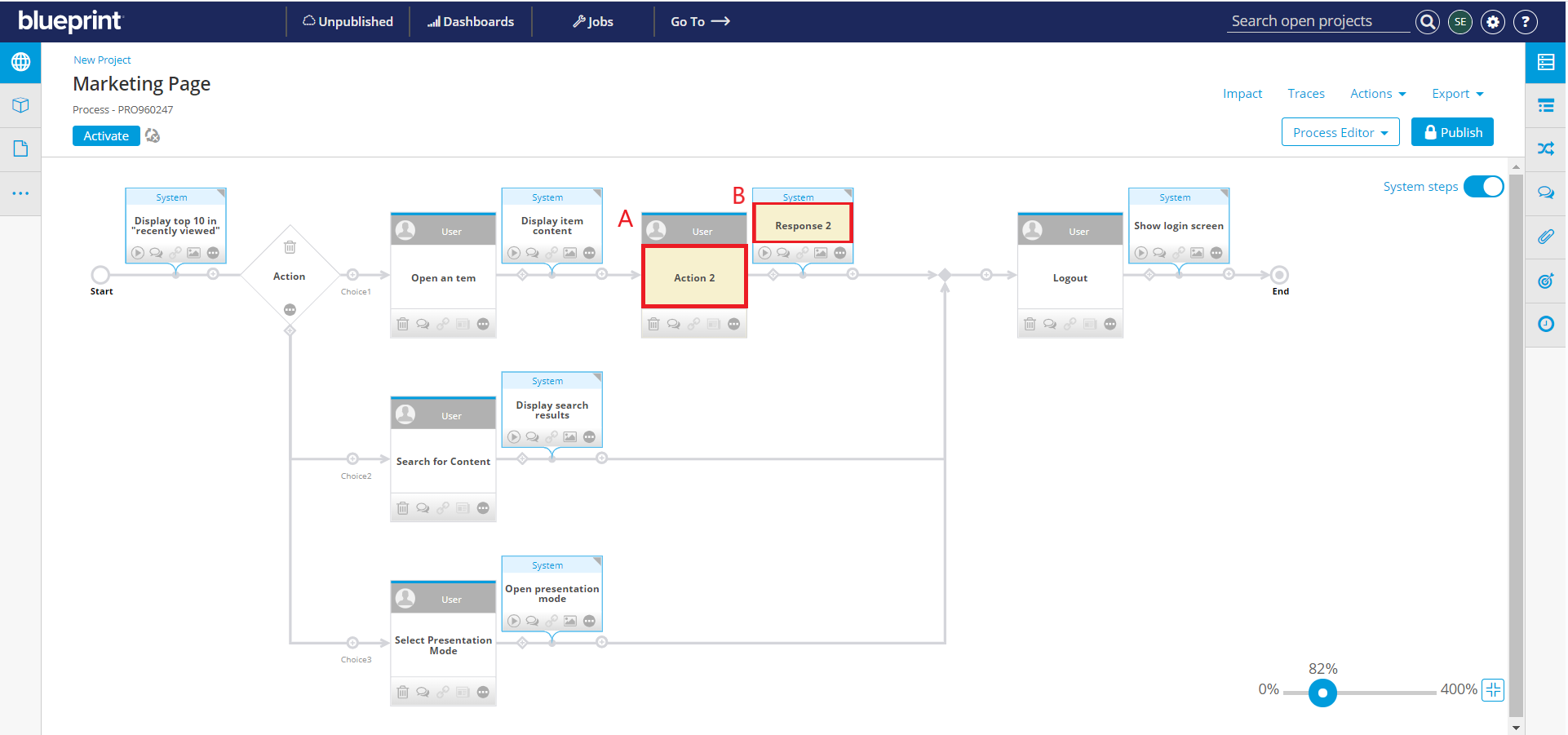
When you further configure the tasks via the Additional Detail window, values entered for Action or Response will not overwrite what you enter here. For more information, see Add Details to Tasks in a Process.