Map to an External Flow
For Custom Action and Unresolved Reference Rules
For the rule types Custom Actions, Unresolved References you are able to choose "EXTERNAL_FLOW" as the Target Type.
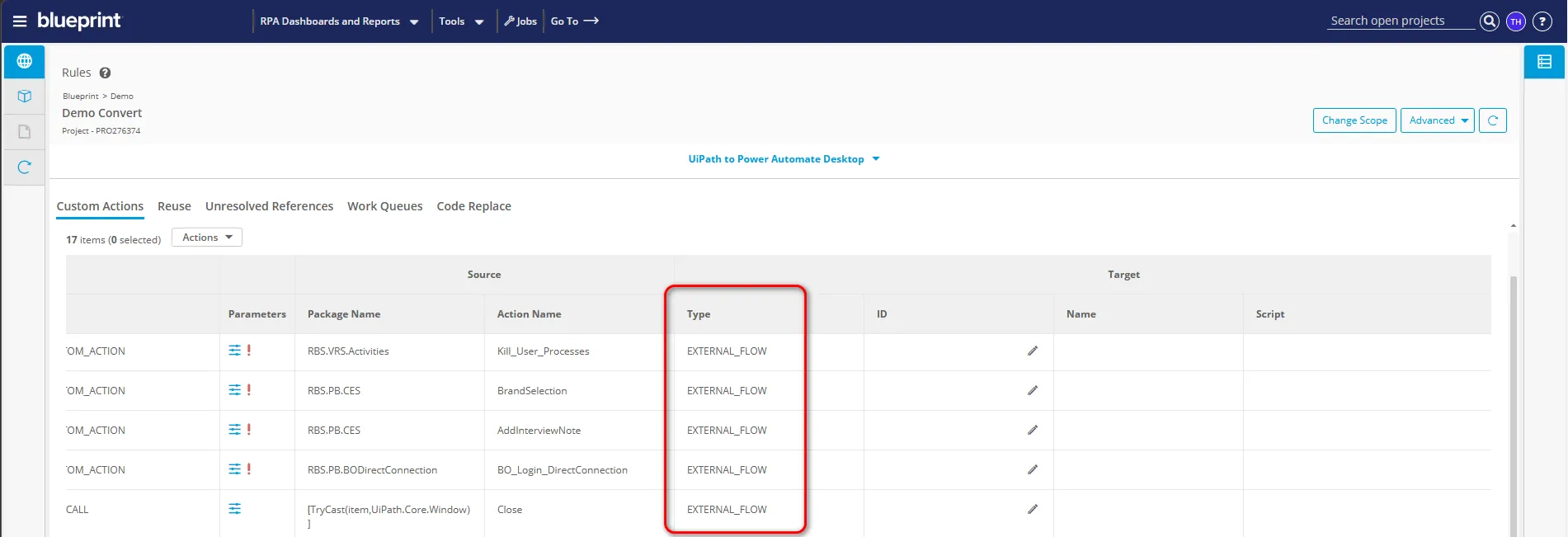
For enabled rules with this choice and a blank Target ID, Blueprint will automatically create a new empty flow on export using the Source Action Name. Blueprint will also automatically populate the Target ID and Name fields with the ID and Name of the new flow in preparation for upcoming exports that may reference this action.
If you already have a flow you'd like this action to map to, simply copy its ID and name into the Target ID and Name fields. Refer to Finding PAD Flow Target ID and Name for details on where to find the ID and name in PAD.
For Reuse Rules
For enabled rules with a blank Target ID Blueprint will automatically create a new empty flow on export using the Source Filename. Blueprint will also automatically populate the Target ID and Name fields with the ID and Name of the new flow in preparation for upcoming exports that may reference this action.
If you already have a flow you'd like to use for this reusable component, simply copy its ID and name into the Target ID and Name fields. Refer to Finding PAD Flow Target ID and Name for details on where to find the ID and name in PAD.